Cheap Robot Vacuum: Why LiDAR Is Worth It Under $200
Published on October 26, 2026
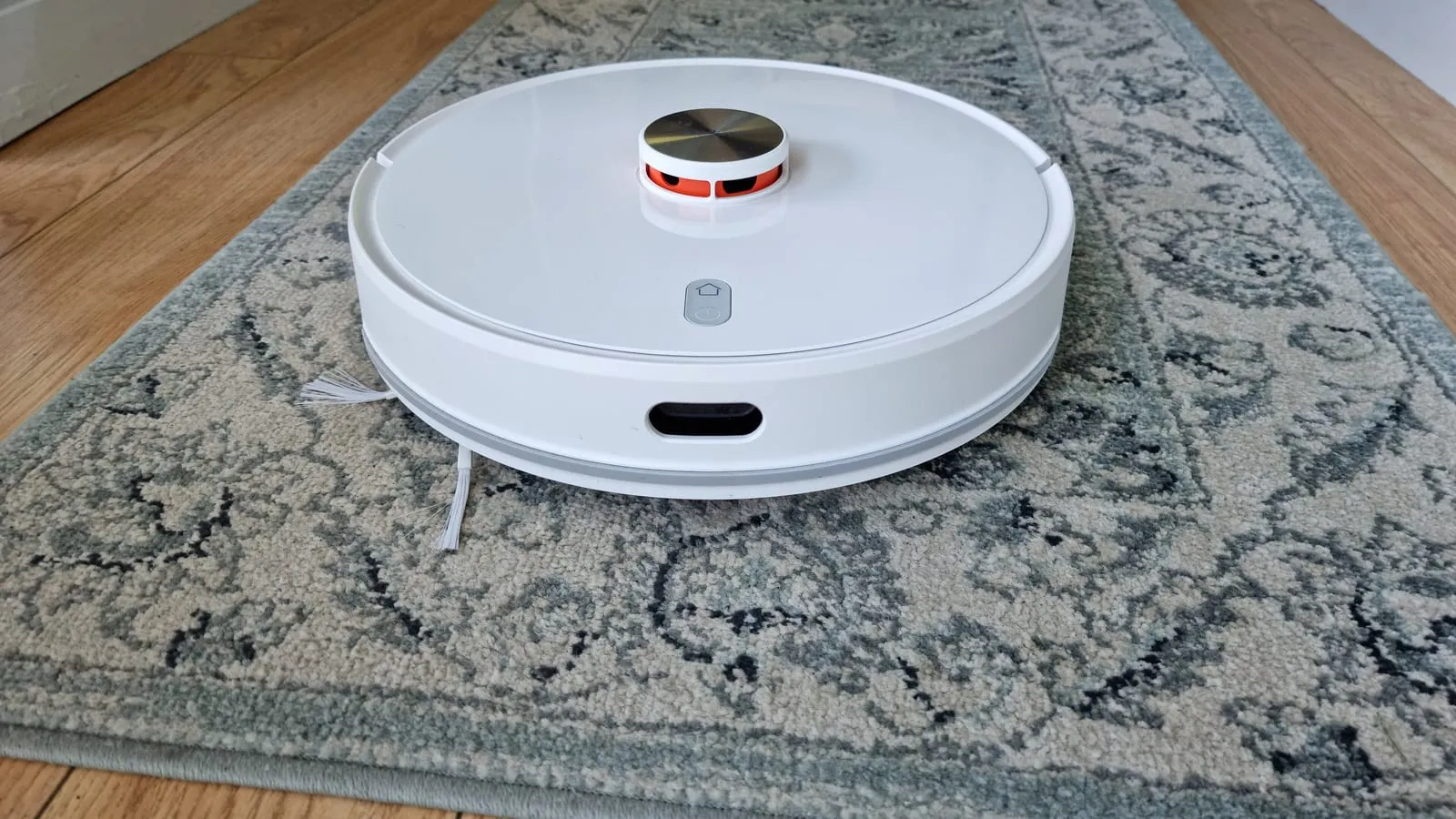
A few years ago the robot vacuum market split neatly by price. Under $200 you got a bump-and-turn robot that wandered until its battery died. LiDAR mapping, the spinning laser that draws a floor plan, started somewhere north of $400.
That split is gone. LiDAR robots from roborock and TP-Link’s Tapo line now sell for about the same money as the classic slim bump-and-turn models, and that changes what a sensible budget purchase looks like.
Ignore suction numbers. Look at navigation
Listing titles lead with suction in pascals, but on hard floors almost any robot pulls enough to pick up dust and hair. What separates a good budget robot from a bad one is whether it covers the whole floor.
- Random. Drives straight until it hits something, turns and carries on. It has no idea where it has been. Fine in one open room; in a home with a hallway and several rooms, it cleans the living room three times and forgets the bedroom.
- Gyroscope. Tracks distance and direction, so it moves in rows. Better coverage, but still no map and no room selection.
- LiDAR. The little turret on top spins, measures the walls and builds a floor plan. It is the only type that reliably covers the whole home in one pass and lets you set no-go zones.
With LiDAR now in the $150 to $200 range, paying the same for a robot without it only makes sense in one situation, covered below.
What no budget robot cleans
Worth knowing before you buy, because this is where most returns come from:
- Corners and baseboards. A round robot cannot reach into a 90-degree corner. Side brushes help, but grime along the baseboard stays.
- Thick carpet. Budget robots climb low-pile rugs. On shag they struggle to climb or spin in place.
- Cords and socks. Charging cables and shoelaces wrap around the brush. The robot stops and beeps. Neither budget LiDAR pick here has a camera to steer around them.
- Stuck-on spills. The mop pads in this price range drag along the floor with no pressure. They pick up fine dust left after vacuuming, not the dried coffee drip by the sink.
Which one fits your home
The roborock Q7 M5 is the default pick: LiDAR, an anti-tangle brush system aimed at pet hair, and runtime that covers most apartments in one pass. Comparison sites that line it up against the Tapo favor it on price and suction.
The Tapo RV30 Max Plus is the one to choose if the dustbin is the chore you hate. Its dock empties the robot into a sealed bag that lasts up to about two months, and the two-year warranty is double what most budget brands offer. The trade-off is lower rated suction, which shows more on carpet than on hard floors.
The eufy RoboVac 11S MAX earns its place for one reason: it is under three inches tall. If your problem is dust under the bed or a low sofa, a LiDAR turret will not fit there and the eufy will. For anything else, its random navigation and lack of an app make it hard to choose over a LiDAR robot at the same price.
Prices change often between sales and sellers. Check the current price before you buy.
Quick comparison
| Robot | Navigation | Best for | Price range |
|---|---|---|---|
| roborock Q7 M5 | LiDAR | Most homes, pet hair | $150 – $250 |
| Tapo RV30 Max Plus | LiDAR, self-empty | People who hate emptying the bin | $180 – $250 |
| eufy 11S MAX | Random | Low furniture, small spaces | $100 – $160 |
App-connected robots also take voice commands, so if “Alexa, clean the living room” is the plan, the Echo Pop vs Echo Dot vs Echo Show 5 comparison helps pick the right speaker. And if you are building out a smart home bit by bit, the smart bulb Wi-Fi vs Zigbee breakdown covers the decision that shapes the rest of your device network.
Our recommendations
roborock Q7 M5
LiDAR mapping, room-by-room cleaning and anti-tangle brushes at a price that used to buy a robot that just bumped around.
Pros
- PreciSense LiDAR maps the home, cleans in rows and knows where it has been
- Dual anti-tangle brush system aimed at pet hair and carpet
- Up to 150 minutes of runtime, enough for most apartments and small houses in one pass
Cons
- No self-empty dock on this version; the M5+ adds one for noticeably more
- No obstacle avoidance camera, so cords and socks still need picking up
- The LiDAR turret adds height, so it will not fit under some low sofas
$150 – $250
Check price on AmazonTapo RV30 Max Plus
LiDAR plus a self-emptying dock, for people who want to stop touching the dustbin.
Pros
- Dock empties the robot into a sealed 3L bag that lasts up to about two months
- LiDAR plus IMU navigation, multi-floor maps and voice control through Alexa or Google
- Two-year warranty, double the usual one year in this price range
Cons
- Lower rated suction (5,300 Pa) than the roborock, which matters more on carpet than on hard floors
- Replacement dust bags are an ongoing cost
- Stock is patchy: the main listing has gone unavailable at times, leaving bundles as the only option
$180 – $250
Check price on Amazoneufy RoboVac 11S MAX
The slim, no-app classic for small spaces and low furniture, if you accept random navigation.
Pros
- Under 3 inches tall, so it slides under beds and sofas that LiDAR robots cannot reach
- Simple remote control, no app or account needed
- Long track record and easy-to-find replacement parts
Cons
- Random bump-and-turn navigation: it repeats some spots and misses others
- No Wi-Fi and no app, so no scheduling by room or no-go zones
- Now costs about the same as LiDAR robots, which makes it hard to recommend for anything but low furniture
$100 – $160
Check price on AmazonPrices are reference ranges and change often, so check the current price on Amazon before buying.
Frequently asked questions
Is a cheap robot vacuum worth it?
Yes, as a daily sweeper rather than a replacement for real cleaning. A budget robot keeps dust, crumbs and pet hair off the floor every day, which makes the house feel cleaner for longer. Corners, baseboards, stuck-on spills and stairs remain your job. People who buy expecting to retire the mop tend to be disappointed; people who buy to stop sweeping every day tend to keep using it.
What is the difference between random, gyroscope and LiDAR navigation?
Random robots drive straight until they bump into something, then turn, with no memory of where they have been. Gyroscope robots track distance and direction, so they clean in rows, but they still keep no map. LiDAR robots spin a laser sensor on top, draw a floor plan and let you pick rooms and no-go zones in the app. Only LiDAR reliably covers the whole home in one run.
Do I need to prepare my home for a robot vacuum?
Yes, and it decides whether the robot gets used or ends up in a closet. Phone chargers, shoelaces, socks and rug fringes wrap around the brush and stop the robot. Regular users get in the habit of picking those up before a run. Thresholds taller than about three quarters of an inch also stop most budget models.
Read next
Smart home
Smart bulbs: Wi-Fi or Zigbee, which should you buy?

Smart home
Echo Pop vs Echo Dot vs Echo Show 5: which to buy

E-readers & tablets