Is 8GB of RAM Enough for a Laptop in 2026?
Published on November 23, 2026
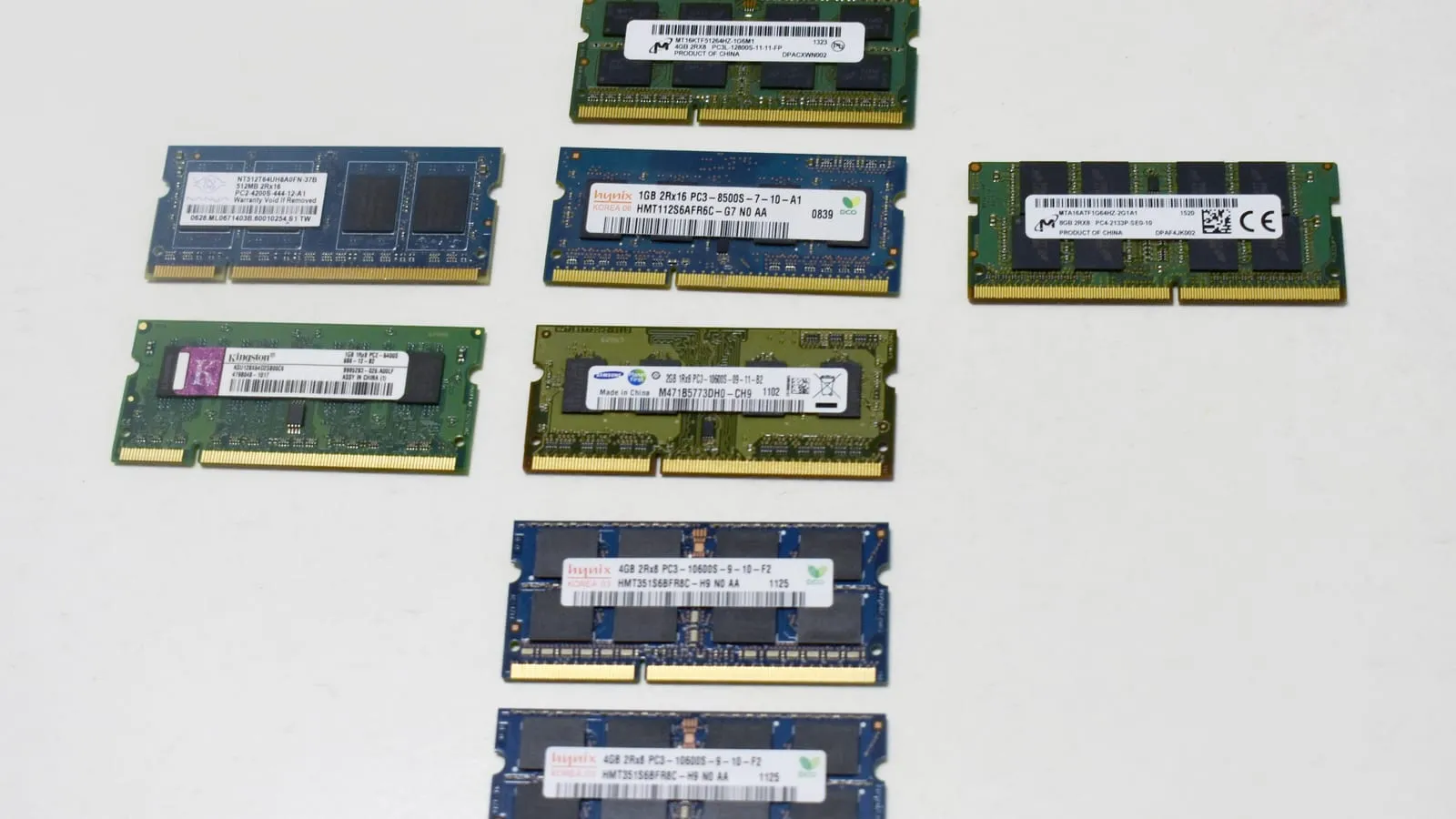
For a couple of years, 8GB looked like it was on its way out. Even budget laptops were starting to ship with 16GB, and Apple made 16GB the base memory on its MacBooks. Then 2026 happened. Memory prices surged as chipmakers redirected production to AI data centers, and analysts quoted by outlets like Club386 expected 8GB to remain the norm for entry-level laptops as a way to hold prices down.
So the question is back: can you live with 8GB this year? It depends less on the laptop than on how many things you keep open at once.
Where the memory actually goes
Windows 11 uses a meaningful share of 8GB before you open anything. Most of what is left goes to the browser, where every tab is its own process and web apps like Gmail, Google Docs, Slack and school or company portals add up fast. Add Teams or Zoom, which stay resident in memory, and you run out.
When RAM fills up, Windows does not crash. It starts using the SSD as overflow memory. The laptop keeps working, but switching windows lags, tabs you left in the background reload from scratch and video calls stutter. That is the pattern owners of 8GB laptops describe in reviews: it runs, it just gets slow exactly when you are busiest.
Who 8GB still works for
- One task at a time. A lecture, a document, email, banking, streaming.
- Light browsing. Ten or so tabs of news, search and social media weigh far less than work tools.
- People who do most things on a phone or tablet and want a laptop mainly for typing and turning in assignments.
When 16GB stops being a luxury
- Work with several tools open together, especially a full browser, a large spreadsheet and a video call.
- Programming, engineering, architecture or design courses, where heavy software shows up sooner or later.
- Anyone keeping the laptop four or five years. Websites and apps only get heavier, and what feels fine on 8GB today feels cramped two years from now.
The question that changes the purchase: can you upgrade it?
Before deciding on RAM, find out whether the memory is soldered or whether there is a free slot. Retail listings rarely say, so look up the manufacturer’s spec sheet.
- Soldered memory. Common on thin laptops and on every MacBook. What ships is what you keep. If you can afford it, buy 16GB up front.
- Free slot. You can buy with 8GB now and add a stick later. With memory expensive in 2026, waiting for prices to ease and upgrading then can be the cheapest path to 16GB.
When buying the stick, the generation matters: DDR4 and DDR5 do not mix. Crucial’s and Kingston’s tools tell you the right module from the exact laptop model.
Prices move a lot, and even more so while memory is in short supply. Check the current price before you buy.
What to buy
| Situation | What to get | Price range |
|---|---|---|
| Heavy work or school use, keeping it for years | A laptop with 16GB from the factory | $850 – $1,000 (MacBook Air) |
| Tight budget, light use | 8GB with a free slot, upgrade later | $400 – $600 |
| You already own a laptop with a free slot | A matching SO-DIMM stick | $40 – $90 |
A thin laptop with few ports usually needs a USB-C hub once it becomes a desk machine, and if you study away from outlets, the guide to a power bank for your laptop covers what it takes to charge one on the go.
Our recommendations
Apple MacBook Air 13 (M4, 16GB)
Apple made 16GB the base configuration, which turns the MacBook Air into one of the few laptops where the RAM question is settled before you buy.
Pros
- 16GB of unified memory in the base model, and macOS handles memory pressure gracefully
- Fanless and silent, with battery life reviewers consistently measure as all-day
- Frequently discounted on Amazon, which narrows the gap to Windows laptops with the same RAM
Cons
- Memory is part of the chip: what you buy is what you keep forever
- Only two USB-C ports, so a hub becomes part of the setup for many people
- Upgrading storage at purchase is expensive, and the base SSD fills up quickly with large media libraries
$850 – $1,000
Check price on AmazonWindows laptop with 8GB and a free SO-DIMM slot
The budget route: buy with 8GB now, in a model that takes a second stick once memory prices come back down.
Pros
- Usually cheaper than the same laptop with 16GB, a gap that widened as RAM prices rose in 2026
- A second stick later doubles the memory without replacing the laptop
- Fine for browsing, documents and video classes one at a time
Cons
- Many listings never say whether there is a free slot, so you have to check the manufacturer's spec sheet
- Opening the bottom panel can be fiddly and, with some brands, raises warranty questions
- With a crowded browser, Teams and Office open together, 8GB spills into swap and everything slows down
$400 – $600
Check price on AmazonCrucial DDR5 SO-DIMM laptop memory (8GB or 16GB)
The upgrade that turns an 8GB laptop with a free slot into a 16GB one, as long as the memory generation matches.
Pros
- Crucial's compatibility tool lists the exact module for each laptop model
- Installation takes minutes on laptops with a removable bottom panel
- The cheapest way to stretch the life of a laptop that has started to feel sluggish
Cons
- Memory prices rose sharply in 2026 as chipmakers prioritized AI data centers
- DDR4 and DDR5 are not interchangeable, and buying the wrong one simply will not fit
- Useless on laptops with soldered memory, which is increasingly common on thin models
$40 – $90
Check price on AmazonPrices are reference ranges and change often, so check the current price on Amazon before buying.
Frequently asked questions
Is 8GB of RAM enough for college?
For lectures, Google Docs or Word, PDFs and a handful of tabs, yes. The trouble starts when all of that happens at once: a crowded browser, a video call and a heavier app push Windows into using the SSD as overflow memory, and the laptop slows down. For programming, design, engineering software or big spreadsheets, aim for 16GB.
How do I know if a laptop's RAM can be upgraded?
Check the manufacturer's spec sheet, not just the retail listing, for memory slots and maximum supported memory. If it says soldered or onboard memory with no free slot, it cannot be upgraded. Crucial's and Kingston's compatibility tools also show, by exact model, how many slots a laptop has and which memory it takes.
Why are laptops shipping with 8GB again in 2026?
Because memory got much more expensive. Chipmakers shifted production toward the high-bandwidth memory used in AI servers, and prices for ordinary DRAM climbed through 2026. To keep sticker prices from rising even more, many brands kept their entry models at 8GB.