Power Bank for a Laptop: How Many Watts You Need
Published on August 16, 2026
You bought a 65W power bank, plugged the laptop in, and the battery kept dropping. Or the charging icon never showed up at all. Most of the time that isn’t a defect: it’s a number the product page almost never shows you.
The wattage on the label isn’t the wattage that comes out
Every USB-C charge starts with a negotiation. The device asks what voltage and current combinations the source offers, the source answers with a list, and the two settle on the best pairing both accept. A phone gets by on 5V, 9V and 12V. A laptop does not: essentially every model that charges over USB-C asks for 20V.
That’s where the trap sits. Plenty of power banks advertised at 65W have a list that stops at 12V. They hit 65W by adding ports together, or they deliver it only to devices that accept 12V. For the laptop, that source simply doesn’t have the step it’s asking for, and you get what you saw: nothing happens, or the battery drains more slowly while still draining.
What to look for in the description is the line with 20V in it. A power bank that charges laptops lists something like 20V/3.25A, which is 65W, or 20V/5A, which is 100W. A listing that quotes total wattage and never breaks out the voltage table deserves suspicion, and that’s exactly the pattern on unbranded models.
The cable is half the problem
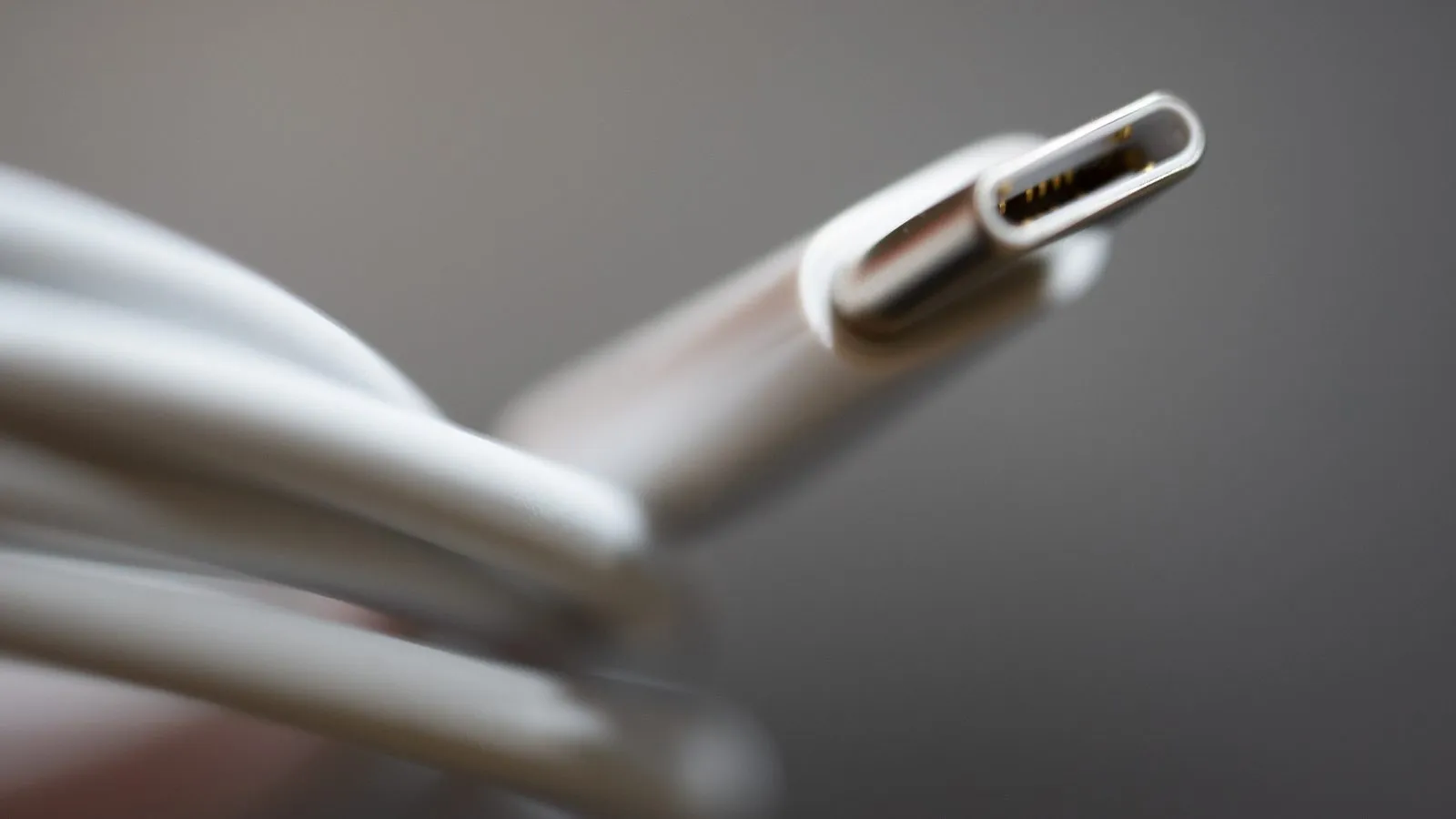
Above 60W the cable needs an e-marker, a chip that declares it can carry 5A. An ordinary phone cable, even with USB-C on both ends, caps the negotiation at 60W or kills it outright. A large share of “I bought 100W and it only gives me 60” ends here rather than in the power bank. When the product ships with its own cable, use that one.
Check the laptop’s port too. Not every USB-C port on the machine accepts power: on plenty of models one port charges and the other is data and video only, and nothing on screen tells you when you picked wrong.
How much battery you actually get back
The number that matters isn’t mAh, it’s watt-hours. Multiply mAh by 3.7 and divide by a thousand: 20,000mAh is about 74Wh, 25,000mAh is about 92Wh. Voltage conversion then eats 15% to 25% of that, so what reaches the laptop is less.
An ultrabook battery runs 50 to 60Wh. A 16-inch laptop clears 90Wh. So a 20,000mAh bank gives one full ultrabook charge with little margin, and a 25,000mAh bank doesn’t give two full charges of anything. Anyone expecting a whole day away from an outlet on one bank bought the wrong expectation, not the wrong product.
Working while it charges
This is where the “it’s broken” reports come from. When you work with the laptop plugged into the bank, incoming power covers the machine’s draw first, and only the surplus goes into the battery. On a video call or a build, the draw can match the input and the percentage stops moving.
On top of that, several models shut themselves off when they’re being recharged and feeding a device at the same time, with output higher than input. That’s a designed protection, documented by the manufacturers themselves, and people who don’t know about it return the product thinking it failed.
Which wattage for which laptop
- 65W: ultrabooks, MacBook Air, Chromebooks, 13 and 14-inch laptops on light work. This is the floor of what works, and nearly every thin laptop charges well here.
- 100W: 15-inch laptops, machines with a stronger processor, or any of the above if you’re using it while it charges.
- 140W and up: 16-inch MacBook Pro, gaming laptops, or anyone charging a laptop and a phone at once without one stealing speed from the other.
Prices move a lot with promotions. Check the current figure on Amazon before deciding.
Quick comparison
| Model | Single-port output | Best for | Price range |
|---|---|---|---|
| Anker 20,000mAh (87W) | 65W | Ultrabooks and MacBook Air | $60 – $90 |
| Baseus Blade 100W | 100W | A 15-inch laptop in a backpack | $60 – $90 |
| UGREEN Nexode 145W | 140W | Big laptops, or two devices at once | $90 – $150 |
If your laptop is thin and you just don’t want to run dry in the afternoon, the Anker handles it and is the lightest of the three. The Baseus is the pick for carrying a laptop every day, because the flat shape disappears next to it in the bag. The UGREEN only earns its price when the machine really asks for more than 100W, and then the weight has a reason behind it.
If what you need isn’t laptop charging but capacity and speed for a phone day to day, the numbers that matter are different ones, and they’re in the fast-charging power bank guide. Before you take any of these three on a trip, it’s worth reading what airlines allow for power banks, because the 25,000mAh one sits close to the ceiling that needs carrier approval. And if your problem is the other end, refilling the bank and the laptop quickly at a hotel without packing three bricks, the answer is a multi-port GaN charger.
Our recommendations
Anker Power Bank 20,000mAh (87W)
The floor of what actually works for a laptop: 65W on a single port, a USB-C cable built into the body, and 72Wh that clears any airline limit.
Pros
- 65W on one port is real charging speed for an ultrabook or MacBook Air
- The built-in USB-C cable is already 5A rated, so a wrong cable can't sabotage the handshake
- Refills itself in about 1.5 hours from a 65W charger, the fastest of the three
Cons
- 65W on a single port won't keep up with a 16-inch MacBook Pro or a gaming laptop under load
- The 87W on the label is the sum of three outputs, not what one device receives
- It clears 400 g, and weight is the complaint buyers raise most often
- There are scattered reports of units arriving dead or failing in the first weeks, covered by Anker's 18-month warranty
$60 – $90
Check price on AmazonBaseus Blade 100W 20,000mAh
Tablet-flat shape: it slides into the same sleeve as the laptop instead of rolling around loose, and it delivers 100W on one port.
Pros
- 100W on a single USB-C port covers a 15-inch laptop in normal use
- The flat body shares space with the laptop rather than becoming a brick in the bag
- Display shows real percentage plus the wattage flowing out at that moment
Cons
- The 100W only holds with one device attached; plug in a second and the split drops to 65W + 15W or 65W + 30W depending on the port
- People who work with the laptop plugged in report it shutting itself off: that's the protection that kicks in when output exceeds input, not a fault, but it reads as one
- There are reports of units dying around the three-month mark, which lands past some retailers' return window
$60 – $90
Check price on AmazonUGREEN Nexode 25,000mAh 145W
140W on a single port: the only one here that charges a big laptop and a phone at once without either slowing down.
Pros
- 140W on one USB-C port, the wattage of a 16-inch MacBook Pro wall charger
- Three USB-C ports with a display that breaks out the wattage of each one
- Around 90Wh: the practical ceiling that still boards without airline approval
Cons
- Input caps at 65W, so refilling it takes roughly two hours no matter how big your charger is
- Reviewers are unanimous about calling it a brick: it clears a pound and it is not a pocket item
- The 140W only comes out over a 5A cable; with an ordinary cable the speed collapses, and that is the most common reason buyers call it slow
- The 20,000mAh version carries the same 145W label but tops out at 100W per port, so it is easy to buy the wrong one
$90 – $150
Check price on AmazonPrices are reference ranges and change often, so check the current price on Amazon before buying.
Frequently asked questions
Will a 20,000mAh power bank fully charge my laptop?
Almost. 20,000mAh is about 74Wh on paper, and voltage conversion eats part of that, leaving roughly 55 to 60Wh usable. An ultrabook battery sits between 50 and 60Wh, so you get one full charge with little to spare. A 16-inch laptop clears 90Wh and won't get a full charge.
Can I use the laptop while it charges from the power bank?
Yes, but the battery climbs slowly or not at all. Incoming power covers what the machine is drawing first, and only the remainder goes into the battery. On a heavy task the draw can match the input and the percentage just sits there.
Do I need a special cable to charge a laptop from a power bank?
Above 60W, yes. The cable needs an e-marker, a chip that declares it can handle 5A. An ordinary phone cable, even with USB-C on both ends, caps the handshake at 60W or blocks charging entirely. If the power bank ships with its own cable, use that one.