New Fire TV Stick 4K vs 4K Max: What Vega OS Changes
Published on October 28, 2026
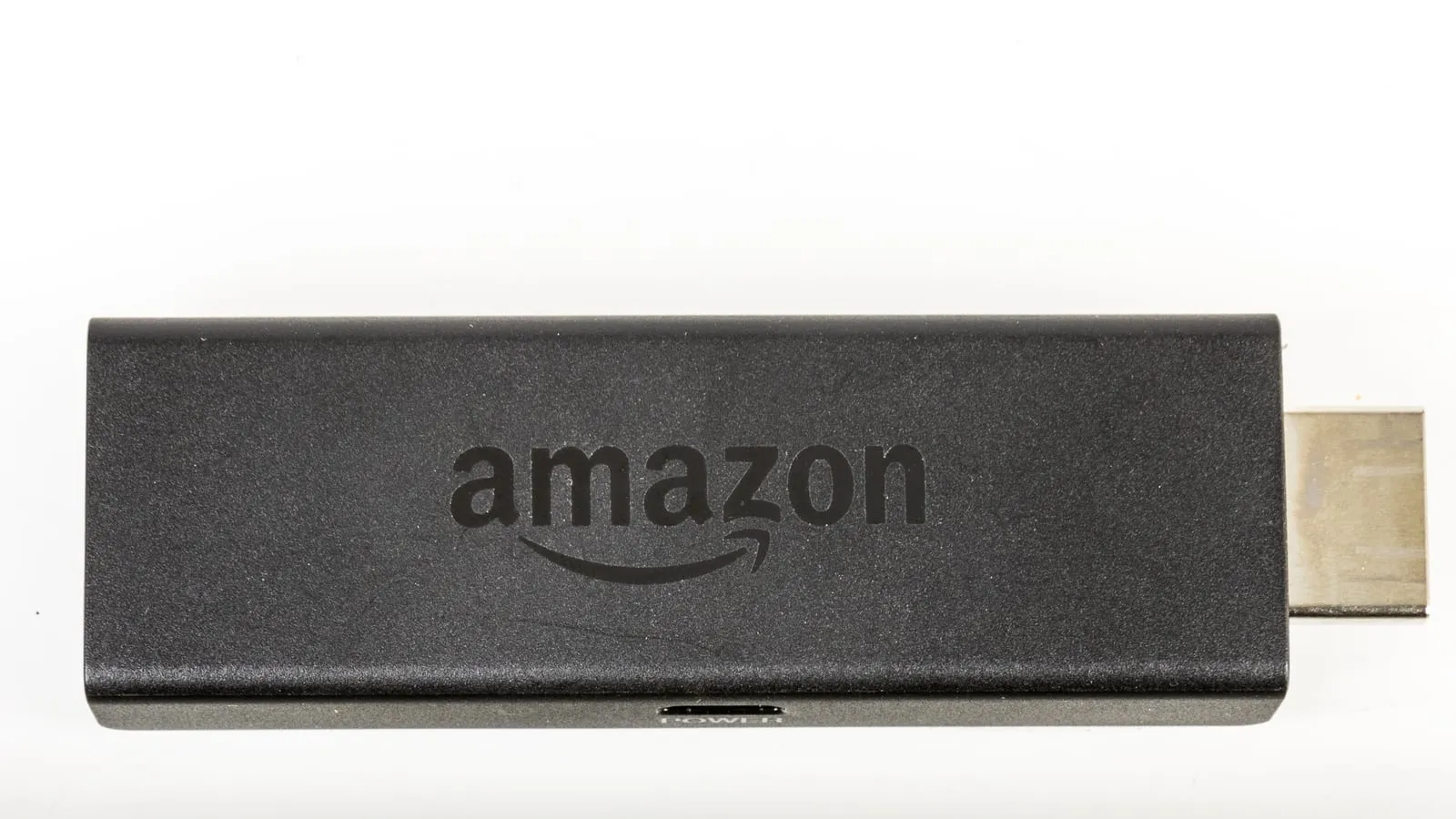
Amazon’s new 3rd-gen Fire TV Stick 4K looks like a routine refresh: new remote, Wi-Fi 6, $59.99. Under the hood it is the biggest change the stick has had. It no longer runs Fire OS, the Android-based system Fire TV has used since 2014, and switches to Vega OS, Amazon’s own Linux-based platform that debuted last year on the Fire TV Stick 4K Select.
If all you do is open Netflix and YouTube, you will barely notice. If you use your TV in any less standard way, it might be the reason you send the stick back.
What the 2026 Fire TV Stick 4K lost
AFTVnews, which tracks the Fire TV line closely, laid out the differences from the previous 4K at launch:
- Dolby Vision. The new stick handles HDR10, HDR10+ and HLG only. It is the first stick with 4K in its name without Dolby Vision since the line started in 2018. If your TV supports Dolby Vision, 4K Netflix and Disney+ will fall back to plain HDR.
- Dolby audio decoding. It only passes Dolby audio through HDMI now. With a compatible soundbar that usually works; it depends on your gear.
- Memory. 1GB of RAM, half the previous model.
- Sideloading. Vega OS does not install APKs. Only what is published in Amazon’s Appstore runs.
- In the box. The power adapter and HDMI extender are gone. A short USB cable ships instead, and the adapter ($19.99), longer cable and extender are sold separately.
What still works
The major services are all there: Netflix, Prime Video, Disney+, Max, YouTube and the rest of the headline apps, plus Xbox cloud gaming (Game Pass sold separately, Bluetooth controller required).
Amazon claims navigation up to 40 percent faster than other 4K sticks at the price. That is Amazon’s own testing, and it did not compare the new stick with the previous 4K or the 4K Max. Reviews of the 4K Select, the first Vega stick with a near-identical chip, were split: Cordbusters found it quick, Tom’s Guide praised the speed but reported stalls when the network wobbles, and AFTVnews flagged performance issues.
Who loses the most
Three kinds of buyer should think twice:
- People with their own media library. VLC, Kodi, Jellyfin, Emby and MX Player are not available on Vega OS, and AFTVnews found Plex badly limited for local files. External drives and home servers are effectively off the table.
- People with a Dolby Vision TV and a home theater. The two features that justified paying more for a 4K stick are exactly what got cut.
- People who rely on a small app. If a service never published to Amazon’s Appstore, it does not exist on Vega, and there is no way around it.
For all three, the Fire TV Stick 4K Max is the answer. Amazon has told developers that every future stick will run Vega OS, which makes the 4K Max the last Android-based Fire TV Stick. It also keeps Dolby Vision, Dolby Atmos and Wi-Fi 6E. Its list price has risen to $84.99, but it has been on sale for $44.99, and Black Friday is the obvious moment to pick one up before stock runs out.
And for a 1080p TV
If your TV is not 4K, neither 4K stick improves the picture. The Fire TV Stick HD gives you the same result for less. Just check the generation: the 2026 HD, with Wi-Fi 6 and Fire TV printed on the stick, already runs Vega OS. The previous one, with squared corners and Wi-Fi 5, still runs Fire OS.
Prices change often between sales and sellers. Check the current price before you buy.
Which one to buy
| Model | Best for | Price range |
|---|---|---|
| Fire TV Stick 4K Max | Dolby Vision TVs, personal media, sideloaded apps | $45 – $85 |
| Fire TV Stick 4K (2026) | A 4K TV and only the big streaming apps | $30 – $60 |
| Fire TV Stick HD | A 1080p TV | $25 – $35 |
If the stick is going into a cheap projector rather than a TV, the HY300 projector review explains why a stick fixes its worst flaw and which limits remain. Fire TV ties into the rest of Amazon’s smart home, and the Echo Pop vs Echo Dot vs Echo Show 5 breakdown helps pick the Echo to go with it. And if Xbox cloud gaming is the plan, it is worth reading how to use a PS5 controller outside the console first, because Bluetooth pairing has the same quirks on any device.
Our recommendations
Fire TV Stick 4K Max
The last Fire TV Stick running Android-based Fire OS, with Dolby Vision, Dolby Atmos and the freedom to install any app you need.
Pros
- Runs Fire OS, so apps from outside Amazon's store, like Kodi, VLC and Jellyfin, still install
- Keeps Dolby Vision and Dolby Atmos decoding, both missing from the new 4K
- Wi-Fi 6E, 16GB of storage and more memory headroom than the 1GB in the 2026 4K
Cons
- Amazon has told developers every future stick will run Vega OS, so this is the end of the line for Fire OS sticks
- List price climbed to $84.99, so it is only a bargain on sale
- Home screen still pushes Prime Video content and ads, the same complaint as every Fire TV
$45 – $85
Check price on AmazonFire TV Stick 4K (3rd gen, 2026)
For people who only open the big streaming apps and want 4K with the new remote, and do not care what got cut.
Pros
- Netflix, Prime Video, Disney+, Max, YouTube and the other major services are all in the Vega Appstore
- Wi-Fi 6 and official support for power from the TV's USB port
- Ships with the redesigned Fire TV remote
Cons
- No Dolby Vision and no Dolby audio decoding, the first Fire TV Stick 4K without them since 2018
- No sideloading, and the Vega app catalog is still far smaller than Fire OS
- Only 1GB of RAM, and the power adapter and HDMI extender are now sold separately
$30 – $60
Check price on AmazonFire TV Stick HD
For a 1080p TV, where paying for 4K changes nothing on screen.
Pros
- Roughly half the price of the 4K models at full price
- On a 1080p TV, the picture is identical to any 4K stick
- Powered by the TV, with an Alexa voice remote
Cons
- Two generations are on sale: the 2026 one, with Wi-Fi 6 and Fire TV printed on the stick, already runs Vega OS
- A poor buy if a 4K TV is on your list for next year
- Same ad-heavy home screen
$25 – $35
Check price on AmazonPrices are reference ranges and change often, so check the current price on Amazon before buying.
Frequently asked questions
How do I tell if my Fire TV Stick runs Vega OS?
Go to Settings, My Fire TV, About. If the software is listed as Fire OS with a version starting with 5, 6, 7 or 8, it is the Android-based system. If it just says OS with a version starting with 1, it is Vega OS. The 2026 Fire TV Stick 4K also comes in a white box and has 4K printed next to the HDMI plug.
Can you sideload apps on the new Fire TV Stick 4K?
No. Vega OS is Linux-based rather than Android-based, so APK files, the Downloader app and ADB installs do not work. Only apps published in Amazon's Appstore for Vega are available. If you rely on Kodi, VLC, Jellyfin or a niche app Amazon does not carry, get the 4K Max instead.
Should I upgrade my older Fire TV Stick to the 2026 model?
Usually not. If your current stick still runs the apps you use, the new one adds Wi-Fi 6 and a new remote but takes away Dolby Vision, Dolby Atmos decoding and sideloading. It only makes sense if your old stick is too slow to live with, and even then the 4K Max is the better upgrade.