Is the HY300 Projector Worth It? Only With a Streaming Stick
Published on October 22, 2026
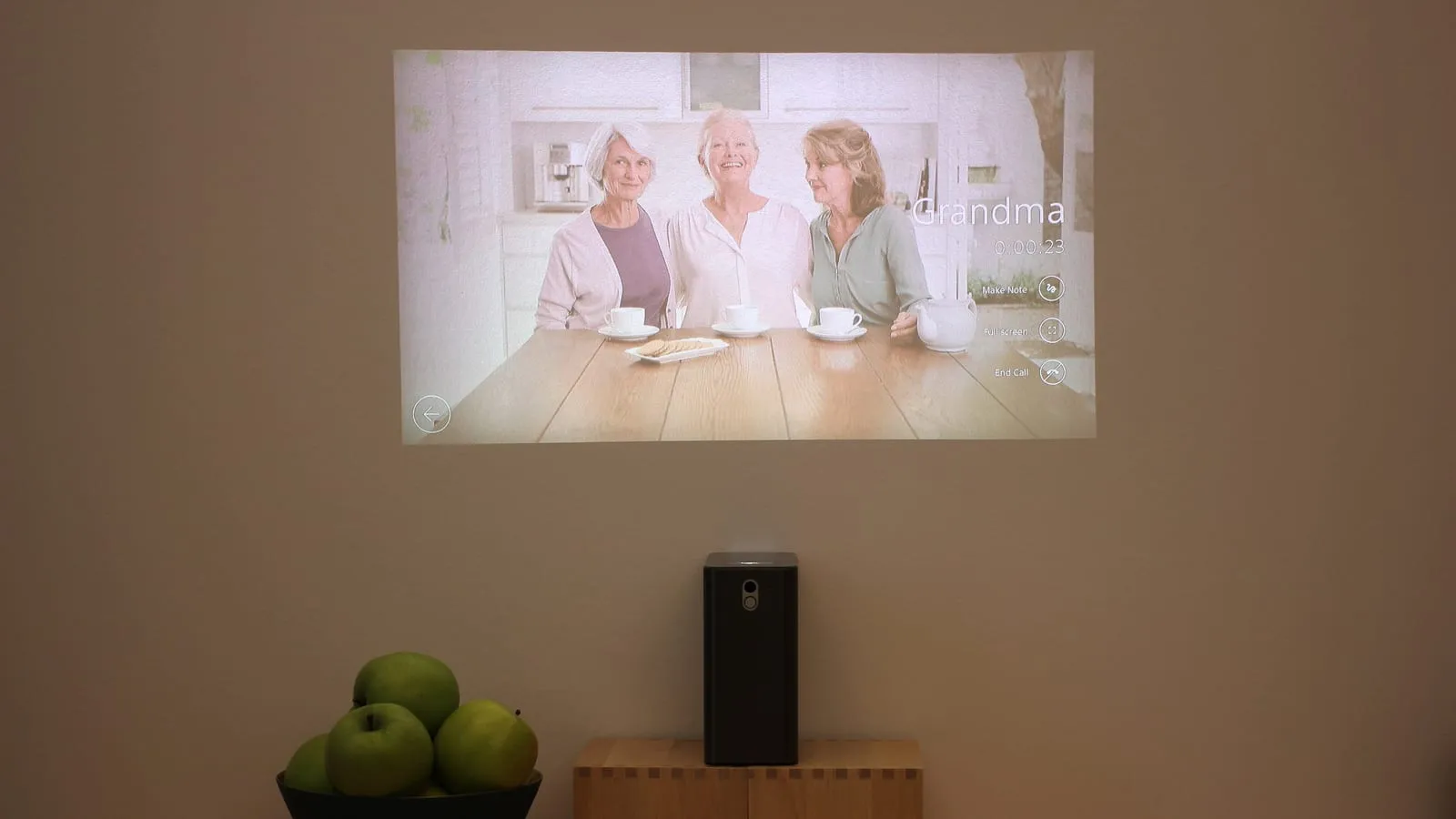
The HY300 is the little white projector in every dorm room and bedroom makeover video: a box pointed at the wall, a movie the size of a garage door, and a price that often sits under $60. The scene in those videos is real. What they leave out is that it was filmed in the dark, and the movie did not come from the projector’s own Netflix app.
The HY300 Pro is worth it as a nighttime bedroom projector, on one condition. Plug a streaming stick into it and ignore the software it ships with. Skip that step and you get a worse experience than the listing suggests, plus a security question you probably did not sign up for.
What the listing says versus what gets measured
Depending on the seller, Amazon listings call the HY300 “4K” and quote brightness figures from a few hundred to over ten thousand lumens. The people who put instruments on it found something more modest.
The HY300 Pro’s native panel is 1280x720. AndroidPCTV, which benchmarks this class of device, confirmed the HD panel, and earlier HY300 units shipped at 1024x768. “4K support” means it will open the file and scale it down.
German outlet Netzwelt measured brightness at about 248 lumens, in line with the 200 to 260 ANSI lumens on the more honest spec sheets. That is enough for an 80 to 100 inch image in a dark room, which is exactly what you see in the videos. Turn on a lamp and the picture fades fast.
Two more numbers that surprise buyers:
- Fan noise. AndroidPCTV measured 54 dB next to the unit, against the 32 dB on the box. If the projector sits on a nightstand a foot from your pillow, you will hear it during quiet scenes.
- Speaker. The spec sheet lists 5W drivers, and the same review found far less in practice. It is fine for YouTube and weak for anything with a soundtrack.
Netflix in SD, despite the logo on the home screen
The HY300 runs Android and puts a Netflix tile on the home screen. What it lacks is Widevine L1, the content protection level streaming services require before they send HD video. It sits at L3, and AndroidPCTV’s testing showed what that means in practice:
- Netflix at 540p, stereo only
- Prime Video at 480p
- Disney+ and Max at 720p
- Apple TV+ does not run
A 720p projector receives the biggest streaming service at less than that, and at 100 inches the difference is obvious. There is no official Google Play Store either, so adding apps means sideloading APK files from the web.
The factory firmware
In May 2026 a researcher in the US bought an HY300 Pro+ for about $35 and noticed through their own DNS filter that it started contacting suspicious domains before it had even been used. Digging into the system, he found one script that switches off Google Play Protect on first boot and another that reinstalls apps from hidden folders every time the projector powers on. Because it lives in the firmware, a factory reset leaves it in place.
The HY300 comes off the same production line under dozens of brand names, and firmware can differ from batch to batch, so this does not prove every unit is affected. It also means there is no simple way to know about yours. A device with network access and a microphone-equipped remote is not something to gamble on when the fix costs less than a pizza.
A stick in the HDMI port, and the projector stays offline
Plug a Fire TV Stick HD into the projector and never connect the HY300 to Wi-Fi. Streaming apps play at the projector’s full resolution, you get a remote and interface that receive updates, and the projector becomes a dumb display with no internet access for its factory software to use.
What the stick cannot fix is the hardware. Brightness, the 720p panel and the fan stay exactly the same. If you already know the projector will be your main screen rather than a bedroom extra, those limits are the real decision, and the sensible jump is to a name-brand portable like the XGIMI MoGo 3 Pro: native 1080p, licensed Netflix, autofocus. It still will not compete with daylight (no portable projector does), but the picture is sharp in a way the HY300 never will be.
Prices change often between sales and sellers. Check the current price before you buy.
Which setup fits you
| Setup | Best for | Price range |
|---|---|---|
| HY300 Pro alone | Trying out a projector with YouTube and phone casting | $40 – $70 |
| HY300 Pro + Fire TV Stick HD | Movies on the bedroom ceiling at night | $65 – $105 |
| XGIMI MoGo 3 Pro | A portable projector as your main screen | $350 – $450 |
Sound is where the budget setup lets you down first, and a portable Bluetooth speaker fixes that for far less than a better projector. If the Fire TV Stick is your first Amazon device and you are wondering which Echo pairs best with it, the Echo Pop vs Echo Dot vs Echo Show 5 breakdown covers that. And since everything here depends on a dark room, a smart bulb that dims on a voice command when the movie starts makes the nightly routine a lot less fiddly.
Our recommendations
Magcubic HY300 Pro
A ceiling-sized picture for the price of a dinner out, as long as the room is dark and you never touch the software it ships with.
Pros
- Costs a fraction of any name-brand projector, which is why it shows up in every dorm and bedroom setup video
- The base tilts 180 degrees, so it can point straight at the ceiling, the use owners praise most
- Full-size HDMI input takes a streaming stick, a console or a laptop with no adapter
Cons
- Native resolution is 1280x720; the 4K on the box only means it accepts a 4K signal and scales it down
- Independent measurements land around 250 ANSI lumens, nowhere near the thousands some listings claim, so any room light washes the picture out
- Widevine L3 only: reviewers found Netflix capped at 540p and Prime Video at 480p
- A security researcher found firmware scripts on an HY300 Pro+ that disable Play Protect and reinstall suspicious apps on every boot
$40 – $70
Check price on AmazonAmazon Fire TV Stick HD
The add-on that turns the HY300 into something usable: properly licensed streaming apps, a working voice remote, and a projector that never has to join your Wi-Fi.
Pros
- Certified by the streaming services, so Netflix, Prime Video, Disney+ and Max play at the projector's full resolution
- Gets regular updates from Amazon, unlike the projector's frozen Android build
- With the stick doing the streaming, the projector stays offline and its factory software has nothing to talk to
Cons
- The home screen pushes Prime Video content and ads, the most common complaint in owner reviews
- Does nothing for brightness, sharpness or fan noise; those limits belong to the projector
- Cheap sale prices come and go, so the combo can cost close to twice the projector alone
$25 – $35
Check price on AmazonXGIMI MoGo 3 Pro
For people who want a projector as a real screen rather than a bedroom toy: native 1080p and licensed Netflix built in.
Pros
- Native 1080p, so subtitles and small text stay crisp at 100 inches
- Google TV with licensed Netflix out of the box, no stick needed
- Autofocus and automatic keystone, where the HY300 makes you turn a focus wheel every time
Cons
- Costs six to eight times as much, and 450 ISO lumens still is not a daytime projector
- No built-in battery unless you buy the PowerBase stand bundle
- Amazon lists it in several bundles at different prices, so check which version you are actually buying
$350 – $450
Check price on AmazonPrices are reference ranges and change often, so check the current price on Amazon before buying.
Frequently asked questions
Is the HY300 projector really 4K?
No. The HY300 Pro uses a 1280x720 panel, and some older HY300 units use 1024x768. Listings say it supports 4K because it can decode a 4K file or signal, but the image is scaled down to the panel's resolution. At 100 inches that shows up as soft edges and jagged subtitles.
Can you use the HY300 with the lights on?
Not in any satisfying way. Reviewers who measured it found roughly 200 to 260 ANSI lumens, which works for a dark bedroom or a room with blackout curtains. With a ceiling light on, blacks turn gray and colors fade. Listings advertising 8,000 lumens or more do not match any independent measurement.
Does the HY300 have malware?
In May 2026 a US researcher examined an HY300 Pro+ and found firmware scripts that turn off Google Play Protect and reinstall suspicious apps on every reboot, which means a factory reset does not clean it. Dozens of brands sell the same hardware, so not every unit necessarily has the same firmware, but there is no easy way to check yours. The safe setup is to keep the projector off your home Wi-Fi and stream through a stick plugged into HDMI.
Read next
Peripherals
Does a vertical mouse fix wrist pain?
Peripherals
Is an ink tank printer worth it at home?
Smart home