PS5 Controller on PC: What Actually Works
Published on August 27, 2026
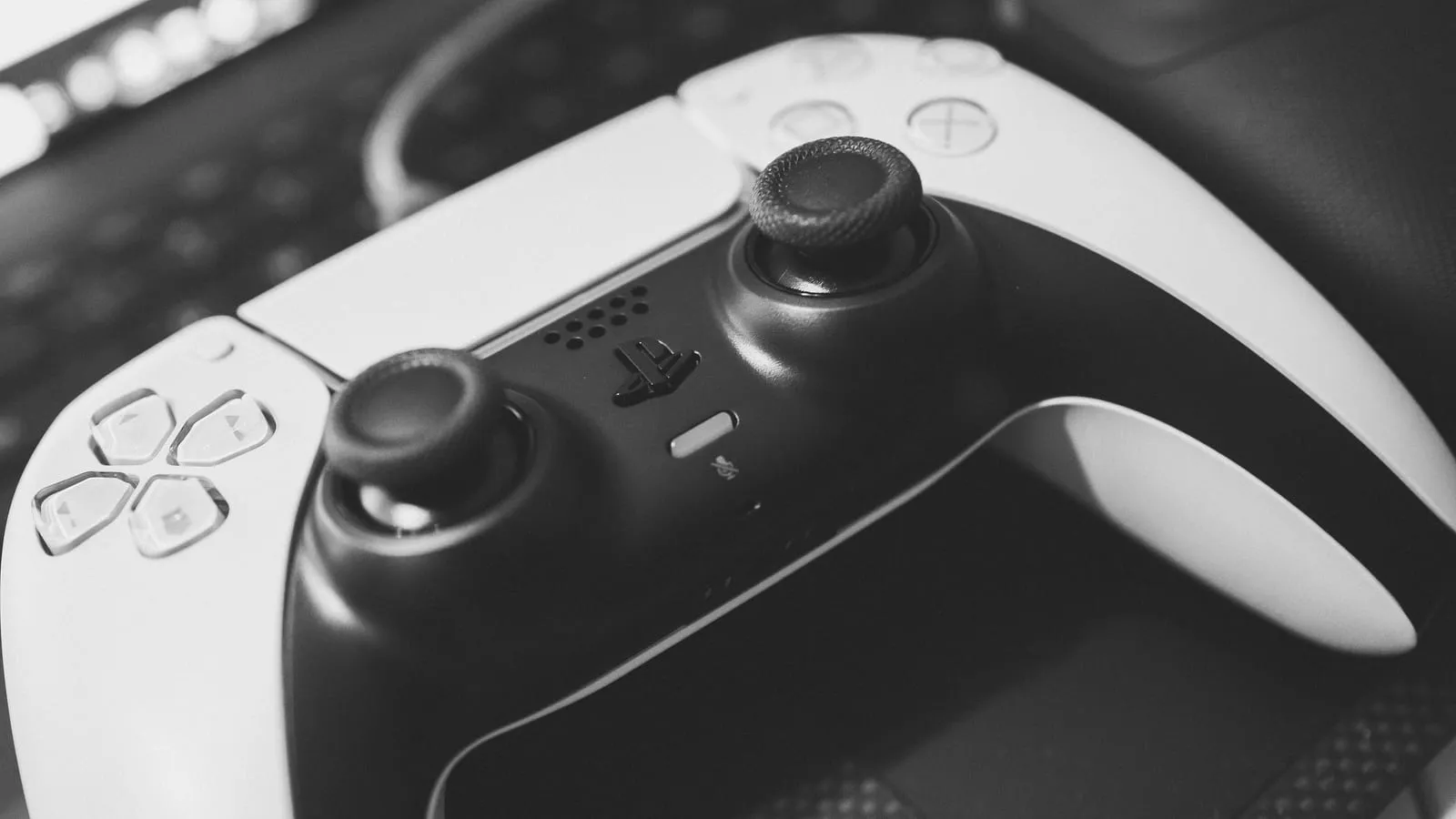
The DualSense connects to a PC with no trick at all: USB-C cable, done. The question worth answering is not whether it works, it is which part works. The controller has three good things going for it (adaptive triggers, haptics and the right icons on screen) and all three depend on where you play.
Steam is one story, everything else is another
Steam has native PlayStation controller support. Plug it in, it shows up, and in supported games the screen prompts you with triangle and square instead of Y and X.
Outside Steam the story changes. Windows does not speak PlayStation: it speaks XInput, the standard built around the Xbox controller. The Epic Games Store, GOG, publisher launchers and emulators frequently do not see a DualSense on their own, or see it as a generic device with the buttons in the wrong places. The fix is a middleman app, and that is where the real confusion starts.
Why you get Xbox buttons on screen
This is the most common complaint from people who already solved the connection part, and the cause is simple once you follow the path. The two most used apps (DS4Windows and DSX) install a driver called ViGEmBus, which creates a virtual Xbox controller and passes your DualSense inputs through it. The game never sees a DualSense: it sees a Microsoft pad. That is why the icons change.
And that explains the other half of the problem. If the game is speaking XInput, it has no way to send an adaptive trigger instruction, because that command does not exist in the Xbox standard. Wrong icons and missing haptics are not two bugs. They are the same bug seen from two angles.
It is worth knowing the difference between the two apps before installing either: DS4Windows does not pass through adaptive triggers or haptics, it only gets the controller recognised. People who want the full feature set outside Steam use DSX, which is paid, offers per-game profiles and has divided reception on its own store page (around 65% positive across more than three thousand reviews).
Adaptive triggers: how many games actually have them
Calibrate expectations here before spending. The list PCGamingWiki maintains of PC games supporting adaptive triggers runs past 160 titles. That is a lot in absolute terms and very little next to any Steam library.
The bulk of that list is Sony’s own ports (God of War, Spider-Man, The Last of Us Part I, Days Gone, Death Stranding 2), plus a few third-party AAA games that implemented it independently: Metro Exodus was among the first, with Cyberpunk 2077 and Jedi: Survivor arriving later.
Even inside the list, results vary. After the Days Gone patch, for instance, players reported adaptive triggers working but no rumble at all, with Steam Input disabled and running wired, which is to say with everything configured correctly. Not every problem is your setup.
A checklist for when the controller vanishes or the effect never arrives
In this order, because the steps cancel each other out if you change everything at once:
- Go wired before investigating anything else. Over Bluetooth a good share of these features never makes it across, and you end up hunting a fault that does not exist.
- In Steam, open the game’s properties, go to Controller and disable Steam Input. It is useful for remapping and gets in the way when the game already has its own support.
- If that still does not do it, try switching off PlayStation Controller Support in Steam’s global controller settings.
- Do not disable the DualSense audio output in the Windows sound panel, for the reason in the FAQ above.
- Check PCGamingWiki to confirm the game actually supports the feature before touching anything else. It saves the most time and it is the step nearly everyone skips.
- If the game has native support, uninstall DS4Windows. Its drivers are reported to interfere even when the app is closed.
What owners report about the hardware
Two things come up often enough to count as consensus, and neither is on the box.
The first is stick drift. There is a substantial forum thread about a right stick starting to pull on its own after six months, and the pattern in the replies repeats: some people are on their third or fourth controller, others have gone years without trouble. The DualSense’s overall build gets praised, while the stick module is described as the persistent flaw. When drift does appear, the home remedy most recommended by people who have been through it is contact cleaner, which sometimes fixes it without opening the shell.
The second is battery life, and Sony itself conceded this one: when launching the DualSense Edge, the company said the model would change neither runtime nor drift, and had prioritised other features. Worth noting that the Edge is expensive and its own battery life is widely criticised as worse than the standard model’s, with the genuine upside that you can replace the stick module for around twenty dollars when it fails.
Rounding out the list are two smaller recurring gripes: R2 trigger springs breaking, mostly on launch units, and the smooth shell getting slippery during long sessions, a comparison the Xbox pad’s rubberised grip tends to win.
Prices change often during sales. Check the current price before you buy.
Quick comparison
| Your situation | What makes sense | Price range |
|---|---|---|
| You play almost everything on Steam | DualSense, wired | $59 – $75 |
| You own the controller, wireless keeps failing | 6 to 10 ft USB-C cable | $8 – $18 |
| Library scattered outside Steam | Xbox controller | $45 – $60 |
The honest conclusion is that a DualSense on PC is worth it for the adaptive triggers, and paying for that only makes sense if you play the titles that use the feature, which almost always means inside Steam. If your library lives on Epic, Game Pass or an emulator, the Xbox pad delivers a frictionless experience at a similar price, and the comparison is not even close.
And if you already have a DualSense sitting in a drawer, buy nothing: a decent cable fixes most of the failures that send people searching for this topic in the first place.
Two neighbouring decisions shape the rest of the setup. If controller audio is what is bothering you, the headphones are usually the problem rather than the pad, and the reasoning behind that choice is in the HyperX Cloud III review. And if you game on a laptop, keeping the controller wired costs a USB-C port that is probably already fighting with your charger and monitor, which is exactly the problem a USB-C hub solves.
Our recommendations
PlayStation DualSense Wireless Controller
The only way to get adaptive triggers on a PC, and on Steam it works over USB with nothing installed.
Pros
- Native recognition in Steam, with PlayStation glyphs on screen in supported games
- Adaptive triggers and haptics genuinely work in Sony's PC ports and a handful of third-party AAA titles
- Ships with USB-C, so the cable you already own for your phone does the job
Cons
- The stick module is the acknowledged weak point: forum reports of drift inside the first year show up with uncomfortable frequency
- Battery life is the most repeated complaint about the line, and Sony conceded the Edge model did not fix it
- Outside Steam it usually needs a middleman app before a game will see it at all
- Owners of launch units report the R2 trigger spring breaking under heavy use
$59 – $75
Check price on AmazonBraided USB-C cable, 6 to 10 feet
The most problem solved per dollar on this page: wired, almost everything that fails over Bluetooth simply works.
Pros
- Removes Bluetooth latency, dropped pairing and silent haptics in one move
- Keeps the controller charged through the session, which is the DualSense's weak spot
- Six feet is enough to play from the couch in most rooms
Cons
- Too short and the cable tugs the controller out of your hands, and buying a 3-foot cable is the common mistake
- Very cheap cables are sometimes charge-only, and then the PC never sees the controller at all
$8 – $18
Check price on AmazonXbox Core Wireless Controller (Carbon Black)
If most of your library lives outside Steam, this is the controller that causes the least trouble, and it would be dishonest not to say so.
Pros
- It speaks the standard Windows already understands, so it works in any launcher with no extra software
- On-screen prompts match the buttons under your thumbs, with no mental translation
- The textured grip is frequently described as more secure than the DualSense's smooth plastic over a long session
Cons
- No adaptive triggers and no fine haptics: in Sony's PC ports you lose the headline feature
- The standard version still runs on AA batteries, and the rechargeable kit is sold separately
- One buyer notes the buttons travel further and sound louder than the competition's
$45 – $60
Check price on AmazonPrices are reference ranges and change often, so check the current price on Amazon before buying.
Frequently asked questions
Does a PS4 controller work on PC too?
It does, and in some ways it causes less trouble. The DualShock 4 has been around long enough that third-party support matured, and it has been recognised without drama for years. The difference is that you give up nothing by using it: since the DualShock 4 never had adaptive triggers or fine haptics, there is no feature being left behind on PC. With the DualSense, there is.
Do I need an adapter to use it wirelessly on PC?
Only if your PC has no Bluetooth, which is common on a self-built desktop. Any USB Bluetooth adapter handles the pairing. There is no official Sony dongle that does for the DualSense what the Xbox adapter does on Windows, so wireless here is always ordinary Bluetooth, with the latency that implies.
Does audio come out of the controller on PC?
Yes. Windows treats the DualSense as a sound card and creates a separate audio output for it, so you plug headphones into the controller's own 3.5 mm jack. One detail solves a lot of problems here: do not disable that audio device in the Windows sound panel. People switch it off to stop their output jumping around and end up killing haptics along with it, because the DualSense's fine rumble travels over that same channel.