Multi-Port GaN Chargers: Is It Worth Replacing the One You Have?
Updated on August 12, 2026
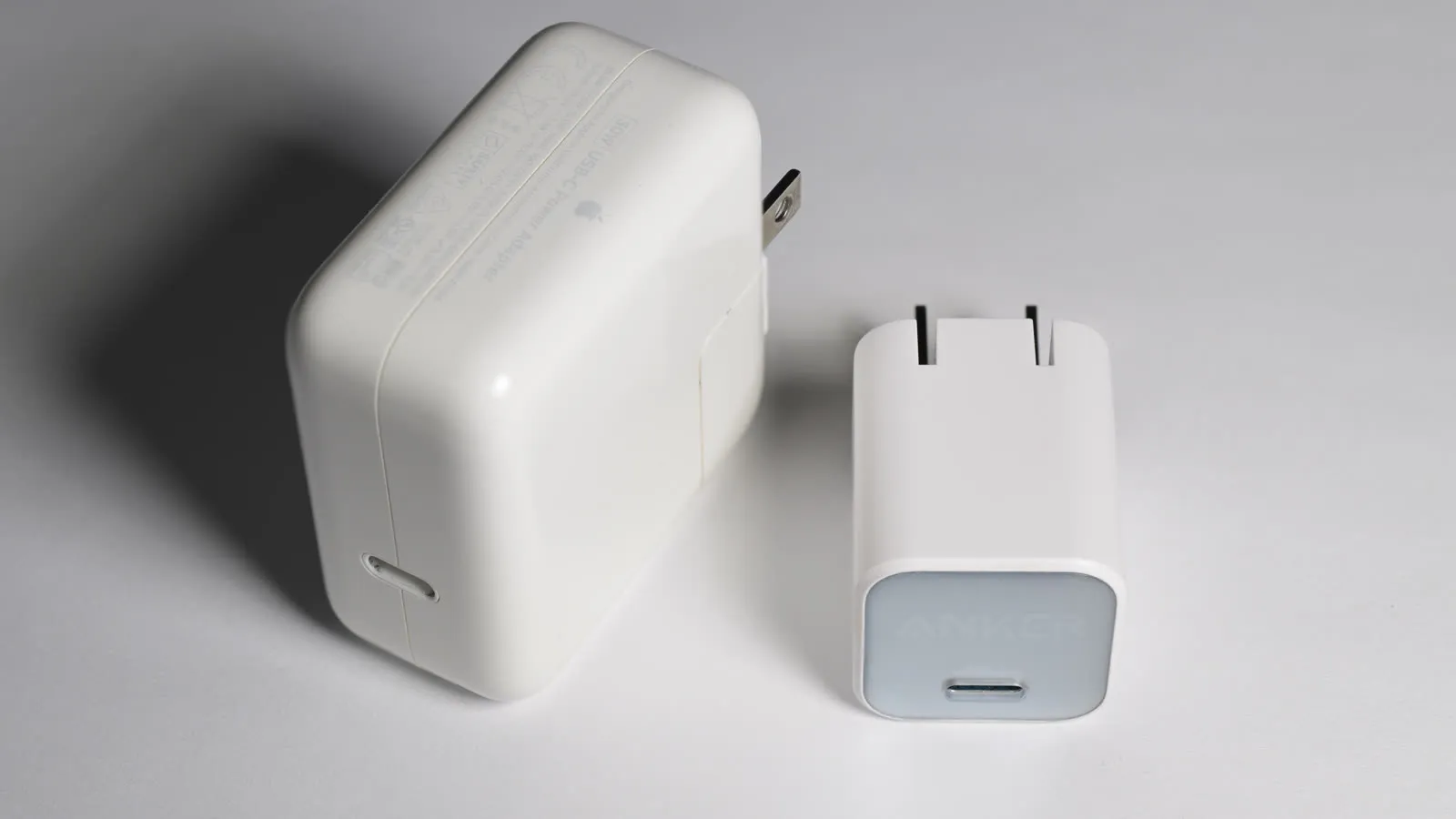
“GaN charger” has become shorthand for “small and fast”, but not everyone needs to replace what they already own. The useful question isn’t whether GaN is better, but whether you draw enough power to notice.
When upgrading actually pays off
- You regularly charge more than one device at the same outlet: phone, earbuds, tablet.
- Your laptop charges over USB-C and you’d rather travel with one charger instead of two.
- You fly often and want to cut weight and bulk from your bag.
If your routine is “plug the phone in at night”, a single-port GaN charger is all you’d ever use, and the speed difference only shows up if your phone supports the higher wattage in the first place.
Charger prices swing widely between sales, so compare current prices before choosing between models.
Quick comparison
| Model | Best for | Price range |
|---|---|---|
| Anker Nano II 65W | Travel, one device at a time | $35 – $50 |
| UGREEN Nexode 65W 3-port | Desk setups, multiple devices | $30 – $45 |
| Anker Prime 100W | Larger laptops, one-bag travel | $65 – $90 |
For a desk with several devices, the UGREEN Nexode removes a tangle of adapters for the price of one. For travel with a thin laptop, the Anker Nano II is the simplest answer, and only step up to the 100W Prime if you carry a machine that genuinely draws that much.
What people actually notice after weeks of use
Spec sheets make all three of these look interchangeable, and the real differences only show up once someone has lived with the charger for a while. Owners switching from an old silicon brick to the Nano II consistently describe it as staying merely warm through long sessions, which is the whole point of newer GaN II chip designs versus the traditional chargers most people are replacing. The trade-off shows up the moment someone tries to charge two things at once: there’s no splitting 65W between ports, because there’s only one.
On the Nexode, the recurring theme in owner feedback isn’t total output, it’s polish: people who’ve also used pricier tri-port bricks say the Nexode does the job but doesn’t feel as refined, even though the actual charging speed holds up in side-by-side testing. And on the 100W Prime, professional reviews are consistent on one point regardless of the glowing overall verdict: it’s priced like a premium product, and the single USB-A port is a genuine afterthought at 22.5W, so it only makes sense if the bulk of what’s plugged in uses USB-C.
Worth remembering that a charger only solves half the travel problem: away from an outlet, what matters is the output wattage of your power bank. And if the desk itself is the goal, a USB-C hub with power delivery sometimes replaces the charger and the ports in one purchase.
Our recommendations
Anker Nano II 65W
Roughly the size of a golf ball, but enough power for a MacBook Air and a phone in sequence.
Pros
- Dramatically smaller than a conventional 65W brick
- Enough wattage for thin-and-light laptops, not just phones
- People switching from an older silicon brick consistently report it stays merely warm even on long charging sessions
Cons
- Single port, so no good if you charge several devices at once: the full 65W goes to whatever is plugged in
- Cable sold separately
- A handful of owners report trouble charging older laptops (an M1 MacBook Air came up more than once), so it's worth checking compatibility first
$35 – $50
Check price on AmazonUGREEN Nexode 65W 3-Port GaN Charger
The desk charger: phone, earbuds and tablet on one outlet, for less than most single-port bricks.
Pros
- Two USB-C plus one USB-A covers old and new cables
- Splits its 65W intelligently between active ports
- Replaces a power strip's worth of wall warts
Cons
- Per-port wattage drops sharply with all three in use
- Slightly bulkier than single-port GaN models
- Reviewers who compare it against pricier tri-port bricks note it doesn't feel as premium, even though the charging performance itself holds up
$30 – $45
Check price on AmazonAnker Prime 100W GaN Charger
For people who travel with a 14-inch MacBook Pro and refuse to pack a second charger.
Pros
- 100W is enough to fast-charge a 14-inch MacBook Pro
- Three ports with generous power even when shared
- Foldable plug survives being thrown in a bag
Cons
- Overkill and overpriced if you only own a phone
- Big enough to block a neighbouring outlet
- The single USB-A port caps out at 22.5W, well below what the two USB-C ports can do, so it's a poorer choice if most of what you own is USB-A
$65 – $90
Check price on AmazonPrices are reference ranges and change often, so check the current price on Amazon before buying.
Frequently asked questions
What does GaN actually change?
Gallium nitride switches faster and wastes less energy as heat than the silicon in traditional chargers. In practice that means the same wattage in a much smaller, cooler-running body. It does not make charging faster by itself.
Is it worth replacing the charger that came with my phone?
If your phone tops out below 20W, the speed gain is small. The upgrade pays off when you want a single charger for several devices, or when you travel and want to leave the laptop brick at home.
Will a 65W charger damage my phone?
No. USB Power Delivery negotiates the voltage and current with the device, so a phone that accepts 20W draws 20W from a 65W charger. Higher wattage only means headroom.