Best Compact Mechanical Keyboards for Small Apartments
Updated on October 27, 2026
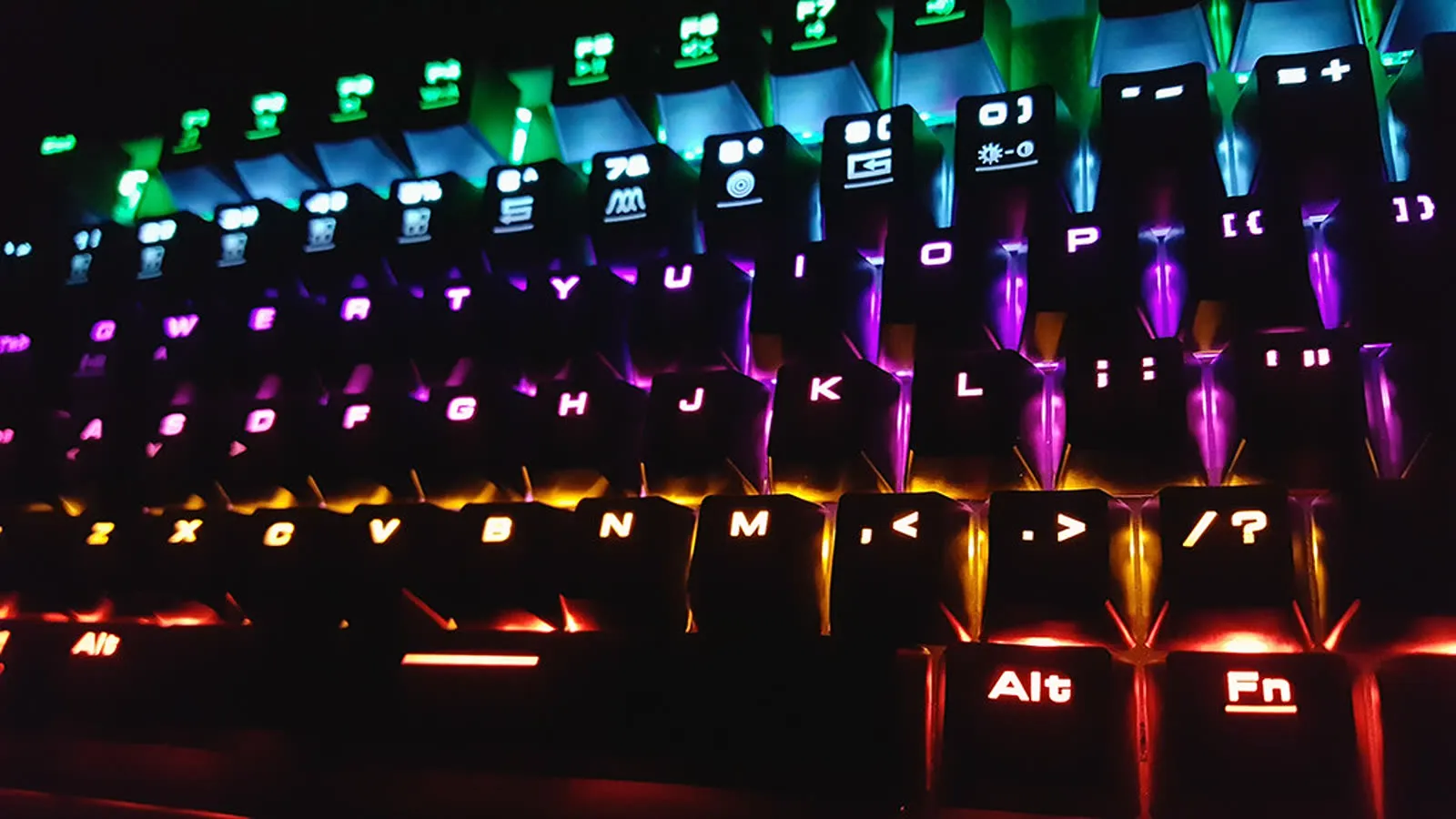
Compact mechanical keyboards have become the default for people who type all day and want their desk back, and they make the most sense where space is tightest: a small apartment, a desk in the corner of the bedroom, a shared living room. The range of layouts and switches makes the first purchase confusing, and in a small home there is a second question nobody asks in the store: how loud it is.
The three factors that matter most
- Layout (60%, 65%, 75%): decide how often you really use the function row and arrow keys before cutting them. Most people who buy a 60% end up wishing they’d bought a 65%.
- Switch type: linear, tactile or clicky completely changes how the board feels and how loud it is. If you share a room or take calls, avoid clicky.
- Connectivity: multi-device Bluetooth is what lets one keyboard serve a work laptop and a personal machine.
- Hot-swap sockets: cheap insurance against picking the wrong switch.
In a small apartment, noise matters as much as size
A compact layout saves desk space, but in a studio or a flat with thin walls the sound of the keyboard is what people around you notice. Three things decide it.
- The switch type. Clicky switches make their click on purpose, inside the switch, and nothing you add afterwards removes it. Linear and tactile switches are quieter by design, and they are what to pick if someone sleeps in the next room or you take calls from the same desk.
- The height of the switch. Low-profile boards like the MX Mechanical Mini have shorter travel, so each keystroke is softer. That is why it is the quiet pick here, and also why fans of a deep “thock” find it underwhelming.
- The desk. Much of what a downstairs neighbour or a roommate hears is the keyboard hitting the desk, not the switch itself. A desk mat under the board softens that for little money, and it works on any of the three keyboards in this guide.
Hot-swap sockets help here too: if a board turns out louder than you expected, quieter switches fix it without buying a new keyboard.
“Hot-swappable” does not mean any switch fits
This is where people waste money on parts. Hot-swap means you can change switches without soldering, but the socket has a shape. Budget boards frequently ship three-pin sockets, while a lot of enthusiast switches are five-pin: they carry two extra plastic alignment legs. Either you clip those two legs off with flush cutters, or the switch will not seat. It is a thirty-second fix once you know, and a returned order if you do not.
The second thing to check is LED orientation. On a north-facing board the LED sits on the top half of the switch housing, which is exactly where the skirt of a Cherry-profile keycap comes down. The result is interference: the cap touches the housing before the key bottoms out. It shows up most with Kailh BOX switches and Cherry-profile keycap sets, and it is the reason a lot of budget boards are described as fine with the stock caps and awkward with an aftermarket set.
Then there is the case Logitech represents. The MX Mechanical Mini has soldered switches, so none of the above applies, but it carries a subtler version of the same trap: its Kailh low-profile stems use the same colour coding as Cherry MX and are not cross-compatible. Nothing from a normal keycap set fits it. If customising is part of why you want a mechanical keyboard, that rules it out before feel or price enter the conversation.
What owners run into after a few months
At the budget end the recurring complaint is not the switches, it is the keycaps. Factory ABS caps develop shine where your fingers land, usually within a few months of heavy use, and that is the material behaving normally rather than a defect. It is also why a PBT set is the most common first upgrade: it costs a fraction of the board and fixes both the shine and legends wearing off.
The other budget-board pattern is inconsistency between units. Reviews of the same model report the factory stabiliser lube applied unevenly, so the spacebar sounds full while modifiers each sound slightly different. It changes nothing functionally, but it is what people hear when they compare their board to a more expensive one. Royal Kludge ratings show the same split from the other direction: heavy clusters at five stars and at one star, with little in between, which is the signature of variable quality control rather than a bad design.
On the Keychron, the two surprises after purchase are physical. The case is tall, and the typing angle is genuinely tiring over a full day without a wrist rest, so budget for one at the same time. And the USB-C port is recessed into a cutout in the side, which rejects plenty of third-party cables, including the coiled cables people buy later. On battery: the headline hours assume the backlight is off, and animated RGB cuts that to a fraction of the quoted figure.
The MX Mechanical Mini’s own long-term complaints are about the typing event, not reliability. The tactile bump is weaker than a Cherry Brown, and people coming from full-height boards describe the short travel as squishy rather than crisp. Coming from a laptop or Magic Keyboard, the same board feels like a clear upgrade. That gap explains most of the divided reviews.
Mechanical keyboard prices move a lot between launches and sales, so check the current price before deciding.
Quick comparison
| Model | Best for | Price range |
|---|---|---|
| Keychron K2 | Best all-round, Mac + Windows | $70 – $110 |
| Royal Kludge RK84 | First mechanical keyboard, budget | $40 – $60 |
| Logitech MX Mechanical Mini | Quiet offices, Logitech ecosystem | $120 – $150 |
To find out whether mechanical keyboards are for you, the Royal Kludge is the cheapest honest entry point and still lets you swap switches. If you already know you’ll use it for years, the Keychron K2 is the one most people should buy, and if your office is quiet and you take a lot of calls, the low-profile MX Mechanical Mini is worth the premium.
The desk space a compact layout frees up usually has a destination: the wireless mouse, which gets room to move, and the stand that lifts the laptop to eye level, which is the reason you’re using an external keyboard in the first place.
Our recommendations
Keychron K2 (V2/Pro)
The default recommendation: a 75% layout with arrow keys, Mac and Windows keycaps in the box, and Bluetooth for three devices.
Pros
- Switches Mac and Windows layouts with a physical toggle
- Hot-swappable switches on the Pro, so you can change feel without soldering
- Keeps arrow keys and the function row in a compact footprint
Cons
- Fairly tall, so you'll want a wrist rest
- Battery life drops sharply with the RGB backlight on
- The USB-C port sits recessed in a cutout, so many third-party and coiled cables will not fit
- Older revisions ship ABS keycaps that go shiny; the double-shot PBT set arrived with later versions
$70 – $110
Check price on AmazonRoyal Kludge RK84 / RK61
The cheapest way to find out whether you like mechanical keyboards, without buying a toy.
Pros
- Hot-swap sockets at a price where nobody else offers them
- Wired, 2.4GHz and Bluetooth in one board
- Stock switches are decent enough to keep
Cons
- Case flexes and sounds hollow compared to pricier boards
- Software for remapping is clunky
- Unit-to-unit quality is inconsistent, and retail ratings cluster at both five and one star
- Documentation is thin: the low-battery warning is the backlight cutting out while the board keeps typing, which reads like a fault
$40 – $60
Check price on AmazonLogitech MX Mechanical Mini
The office pick: low-profile, genuinely quiet, and it pairs with the same receiver as an MX mouse.
Pros
- Low-profile switches quiet enough for a shared office or calls
- Months of battery life per charge
- Shares one Logi Bolt receiver with an MX Master mouse
Cons
- Switches are soldered, so no swapping later
- Low-profile feel disappoints if you wanted a 'real' mechanical thock
- The Kailh low-profile stems are not Cherry MX compatible despite matching stem colours, so aftermarket keycap sets will not fit
- The stock ABS caps wobble on the stem and pick up shine, which stings at this price
- White-only backlight, and there is no num lock indicator at all
$120 – $150
Check price on AmazonPrices are reference ranges and change often, so check the current price on Amazon before buying.
Frequently asked questions
What do 60%, 65% and 75% mean?
It's roughly the share of keys kept compared to a full-size board with a numpad. A 60% drops the function row, arrows and navigation cluster; 65% adds the arrows back; 75% adds the function row too. Smaller means more desk space but more key combinations to memorise. For most people 65% or 75% is the sweet spot.
Linear, tactile or clicky switches?
Linear switches are smooth and quiet, and are the usual choice for gaming. Tactile ones give a small bump you can feel without much noise: the best default for typing. Clicky switches are loud and satisfying, but they will annoy anyone within earshot on a video call.
Which mechanical keyboard is quietest for an apartment?
Of these three, the Logitech MX Mechanical Mini: its low-profile switches have short travel and were designed for shared offices. On a full-height board, pick linear or tactile switches and avoid clicky ones, whose click is built into the switch and cannot be dampened. A desk mat under the keyboard also cuts the sound that travels through the desk.
What does hot-swappable mean and do I need it?
Hot-swap sockets let you pull switches out and push new ones in without soldering. It matters if you're not sure which switch feel you want, because it turns a wrong guess into a $20 fix instead of a new keyboard.
Read next
Peripherals
Does a vertical mouse fix wrist pain?
Peripherals
Is an ink tank printer worth it at home?

Peripherals