Does a vertical mouse fix wrist pain?
Published on September 9, 2026
If you are reading this, something already hurts: a heavy forearm by the end of the day, a sore spot at the base of the hand, pins and needles after an afternoon in a spreadsheet. The useful question is not whether a vertical mouse is better on paper, it is whether it fixes your case. Short answer: it genuinely changes forearm posture, and there is evidence that this reduces reported pain over months. But plenty of people who buy one for pain later find half the problem was where the mouse sat.
What the shape actually changes
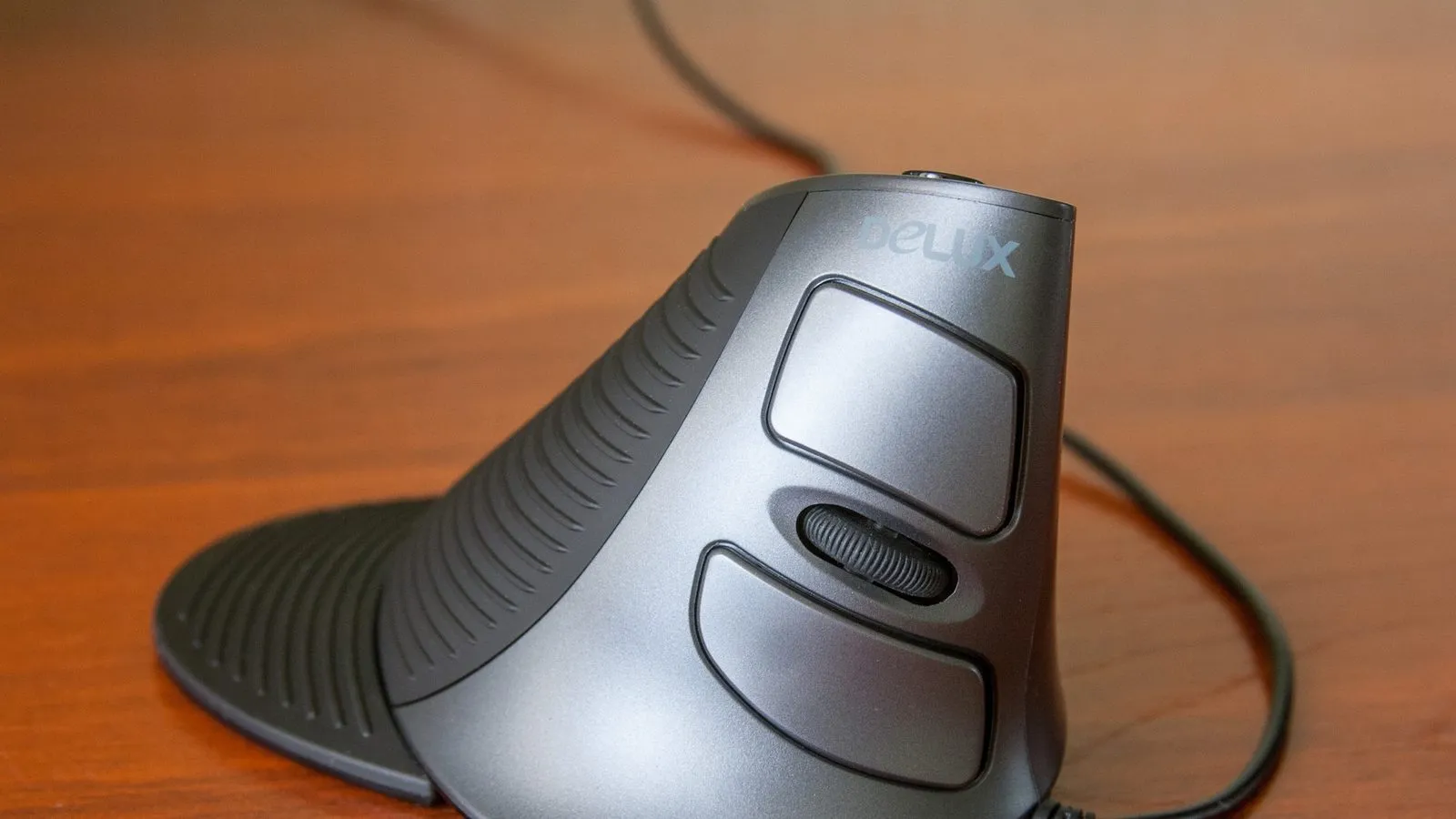
With a conventional mouse your palm faces down. Getting there rotates the forearm close to 90 degrees, and the muscles that extend the wrist spend the whole day contracted holding the hand in place. A vertical mouse tilts the body, usually somewhere between 55 and 90 degrees, and the hand settles into a handshake position, which is the neutral position of the forearm.
That part is not marketing. Lab measurements record less forearm pronation, lower wrist extensor activity and less ulnar deviation with vertical designs. The outcome that matters shows up too: in a six month field study, the group that switched to a mouse with a more neutral forearm posture reported significant drops in pain intensity and frequency in the wrist, forearm, shoulder and neck, while the control group barely moved. A systematic review of 17 controlled trials reaches a similar conclusion with one important caveat: the benefit is most consistent when the new device comes with ergonomic coaching, not on its own.
What it does not fix
Carpal tunnel is the case worth getting right. The study that measured pressure inside the tunnel in diagnosed patients found the vertical mouse changed hand position without lowering pressure, because what compresses that space is the effort of gripping and clicking rather than the angle of the forearm. If your complaint is numb fingers, especially at night, a new mouse is not the answer.
It also does nothing for pain that starts in the shoulder and neck because the desk or the screen sits at the wrong height. That one disappears when the monitor goes up and the elbow gets supported, and it keeps hurting with any mouse you buy.
Three adjustments that cost nothing
Worth a week of testing before you spend:
- Bring the mouse closer. A keyboard with a number pad pushes the mouse four to six inches to the right, and that is what keeps your shoulder abducted all day. A compact keyboard without a numpad gives that space back.
- Rest the forearm on the desk and move from the elbow. Pivoting a planted wrist on the mouse pad is what concentrates load exactly where it hurts.
- Loosen your grip. Gripping hard is precisely what raises pressure at the wrist. A mouse that is too light or too slippery makes the hand squeeze harder without you noticing.
How to choose, if you do switch
Hand size is the thing people get wrong. The Lift was built for small and medium hands, and the most repeated complaint from large-handed owners is exactly that the palm overhangs the shell. Bigger hands want the MX Vertical or another full-size body.
The angle has a middle ground. Logitech’s 57 degrees is the gentle version and the easiest to accept at first. Designs closer to 90 degrees, like Evoluent’s, put the forearm in a more neutral position but demand more adaptation. Interestingly, people who already live with a strain injury sometimes complain in the other direction: one reviewer developed elbow tightness on the Lift because the tilt never reaches a full handshake.
A claw grip does not survive the switch. Vertical mice need both sides held, or they rotate under the click. If you perch on your fingertips, expect a rougher first week.
Stay at low DPI. Fine aiming is where this shape loses, so working between 800 and 1600 DPI tends to feel better than cranking sensitivity to compensate for the arm movement.
Left-handers have fewer paths: the Lift has a proper left-handed version, most lines have none at all, and a right-handed vertical mouse is genuinely uncomfortable used backwards.
Prices move a lot between sales and stores. Check the current price before buying.
Quick comparison
| Model | Best for | Price range |
|---|---|---|
| Logitech Lift | Small and medium hands, first branded vertical | $60 – $80 |
| Logitech MX Vertical | Large hands, all-day use | $85 – $120 |
| Anker Vertical | Testing the shape on the cheap | $25 – $35 |
For most people the sane order is cheap first. Thirty dollars answers in two weeks the question no spec sheet can: whether your hand accepts the shape at all. If it does, moving up buys better switches, better wireless and a shell that fits. If it does not, you are out the price of lunch.
If the wrist is only one part of a rough working day, two other pieces here finish the job. The wireless mouse buying guide covers the criteria that apply to any shape, including the receiver split in Logitech’s own lineup that trips up so many purchases. And the laptop stand guide handles the other half of the problem: with the screen at eye level the shoulder stops compensating, and forearm pain often eases with no new mouse at all.
Our recommendations
Logitech Lift
The easiest entry point for small and medium hands, with quiet clicks and a swappable AA cell instead of a sealed battery.
Pros
- Designed around small and medium hands, and that is where owners say it lands well
- Runs on a long-life AA battery, so the mouse does not die with a sealed cell
- Pairs with three devices over Bluetooth or the bundled Logi Bolt receiver
Cons
- Reviewers with larger hands report the palm hanging off the body of the mouse
- A claw grip barely works: without holding both sides, the mouse rotates as you click
- No onboard memory, so custom buttons only work while Logi Options+ is running
- One reviewer with an existing strain injury developed elbow tightness over weeks, because the tilt stops short of a full handshake position
$60 – $80
Check price on AmazonLogitech MX Vertical
The one that fits a large hand, and long-term owners name the 57 degree tilt as the reason they never went back.
Pros
- Larger shell solves the complaint that sinks the Lift for big hands
- Rechargeable over USB-C, with a one minute top-up covering a few hours of work
- Owners two years in still describe the angle as the product's best feature
Cons
- The rubberised coating is the recurring complaint: owners report a sticky, peeling surface around the one to two year mark, same as the MX Master line
- Sealed battery with no simple replacement once it fades
- Pushes you to move the whole arm, and gets awkward at high sensitivity
- Expensive for a shape you may not adapt to
$85 – $120
Check price on AmazonAnker 2.4G Wireless Vertical Ergonomic Mouse
The cheap way to find out whether the shape works for you before spending Logitech money.
Pros
- Costs about a third of the branded options with the same handshake posture
- Reviewers consistently praise the build for the price, and Anker backs it with an 18 month warranty
- If the shape does not click, you are out $30, not $100
Cons
- The scroll wheel is the most repeated complaint: owners describe it as stiff, and worse when scrolling back up
- Small shell at 120 mm long, so reviewers with large hands felt cramped
- Takes two AAA batteries that are not in the box, and long-term reviews mention battery drain
- Sleeps after eight idle minutes and only wakes on a click, not on movement, which annoys people who expect a nudge to bring it back
- 2.4 GHz receiver only, no Bluetooth, and no left-handed version
$25 – $35
Check price on AmazonPrices are reference ranges and change often, so check the current price on Amazon before buying.
Frequently asked questions
Does a vertical mouse cure carpal tunnel syndrome?
No. A study on diagnosed patients measured pressure inside the carpal tunnel while they used a vertical mouse and an ergonomic pad: wrist posture changed, the pressure did not drop. What raises that pressure most is hand activity, gripping and clicking, and that stays the same in any shape. A Cochrane review of ergonomic equipment for carpal tunnel also found insufficient evidence. Numbness or tingling that wakes you at night is a doctor's appointment, not a purchase.
How long does it take to adapt?
In lab testing, pointing at an on-screen target took longer with a vertical mouse, roughly 4.2 seconds against 3.4 with a conventional one, so the early loss of precision is real. People who switched typically describe one to two weeks before speed comes back. Anyone doing illustration, photo editing or fine selection work feels it more and takes longer.
Would a gel wrist rest be cheaper and just as good?
In that same patient study, an ergonomic mouse pad also changed posture without reducing measured pressure. A gel rest is for parking your hand during pauses, not for pivoting your wrist on it while the cursor moves. If the budget is tight, pulling the mouse closer to your body and resting the forearm on the desk changes more and costs nothing.