The Best Laptop Stands for Posture and Cooling
Updated on August 13, 2026
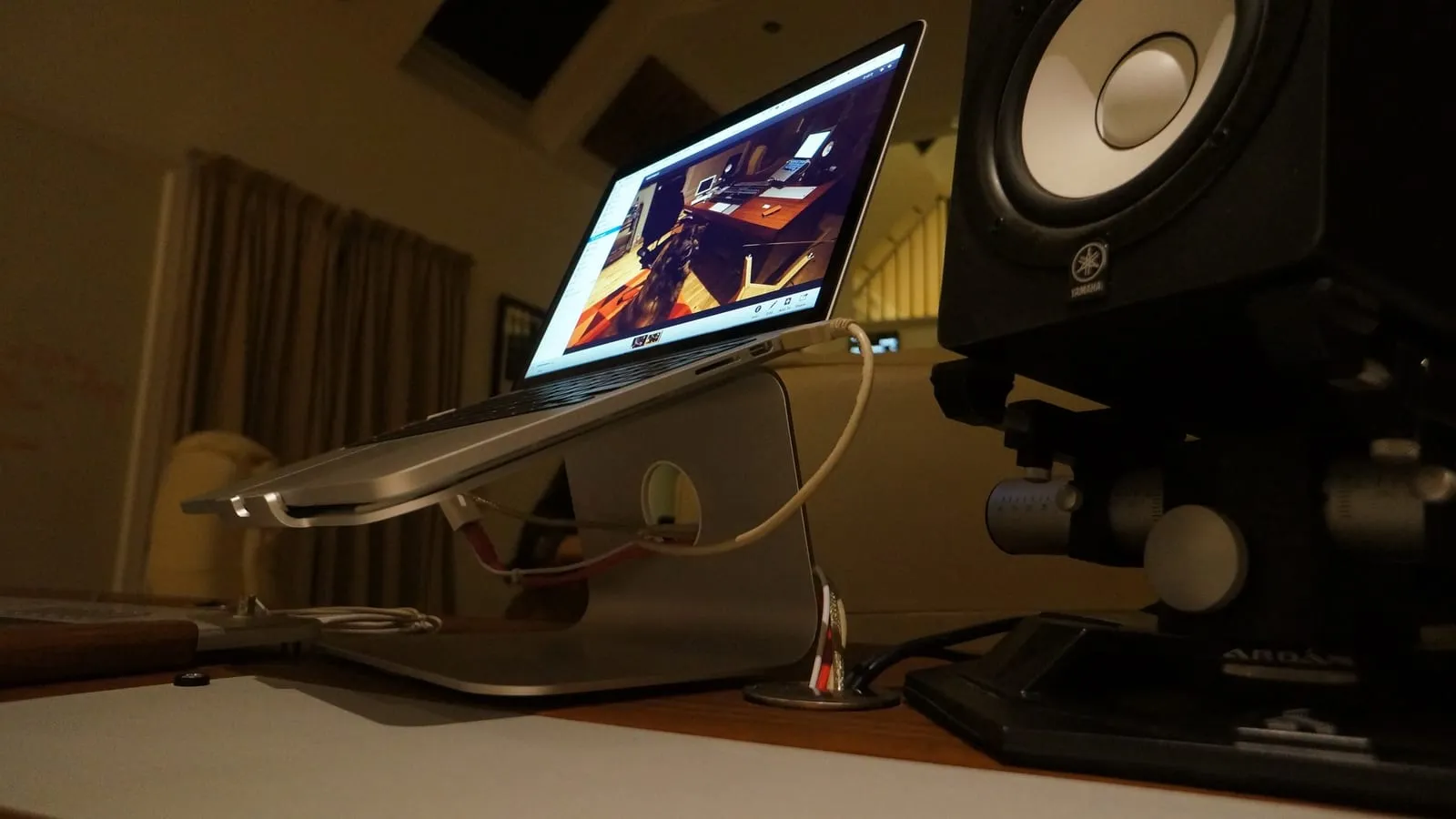
Working on a laptop flat on a desk for hours forces your neck down and starves the machine of cooling air. A stand solves both at once. The question is which shape fits your routine.
Portable or fixed? It depends where you work
- You work in several places (café, office, home): a light foldable or adhesive stand is the one you’ll carry, and a stand in your bag beats a better stand at home.
- You have a permanent desk: an adjustable riser gets the height right and stays put, which matters more than a few grams of weight.
- You already use an external keyboard and mouse: go as tall as your setup allows. The top of the screen at eye level is what actually relieves neck strain.
Prices vary with material and adjustability, so check the current price for the specific model before buying.
What owners run into after a few months
Spec sheets for laptop stands are almost interchangeable, so the useful signal comes from what people complain about once the stand has been on a desk for a while.
The Nulaxy C1 collects one recurring criticism: wobble. It is worth reading that complaint closely, because reviewers who dig into it describe a light resonance when you type on the laptop’s own keyboard, not a stand that threatens to tip. Aggregate review analysis of the aluminium Nulaxy stands lands around 8.6 out of 10 across dozens of user reviews, and the people who pair the stand with an external keyboard rarely bring the wobble up at all. The other trade-off owners mention is the hinges: they take noticeable force to move, which is exactly why the stand holds its angle instead of sagging.
The MOFT Invisible splits reviewers, and the honest summary is that it solves a different problem than a desk riser. The maker rates the adhesive for roughly 100 attach and detach cycles, and long-term reviews back up the claim that it peels off without leaving residue, so the sticker is less of a commitment than it sounds. What people do walk away from is the ergonomics: the lift is small, you are still typing on the laptop keyboard, and the whole thing flexes under the hands in a way an aluminium block never does. One practical detail worth checking before you stick it on is where your laptop pulls cooling air from, since machines that breathe through the base have the panel sitting right over the intake.
The mStand’s complaint file is short and predictable, because there are no moving parts to fail. It sits about 5.9 inches high at the back and 3 at the front, and that is the whole story: reviewers who are tall, or who run a 16-inch laptop, report the screen still ends up below eye level with no way to correct it. The single-piece build is the reason it never wobbles and the reason it can never adapt, so the height has to fit you before you buy. People in that situation usually end up on an adjustable stand or a taller single-piece model instead.
Quick comparison
| Model | Best for | Price range |
|---|---|---|
| Nulaxy C1 | Best value desk stand | $25 – $40 |
| MOFT Invisible | Travel, coffee shops | $25 – $35 |
| Rain Design mStand | Permanent desks, build quality | $50 – $70 |
If you move around, the MOFT is the honest answer: a stand attached to your laptop is the only one you never forget. If you have a fixed desk, the Nulaxy C1 does everything the far pricier stands do, and the mStand is only worth the difference if you want something that will still look new in ten years.
That “external keyboard and mouse” line is the part people leave out of the budget: raising the screen forces you to decide which compact mechanical keyboard fits the desk and which wireless mouse survives a full day. And with the laptop lifted or shut, its ports go with it, which is where a USB-C hub comes in.
Our recommendations
Nulaxy C1 Adjustable Laptop Stand
The best desk stand for the money: solid aluminium, adjusts high enough to put a 15-inch screen at eye level.
Pros
- Heavy enough that it doesn't shift when you type
- Raises the screen to actual eye level, unlike most cheap risers
- Open frame lets the laptop's fans breathe
Cons
- Too bulky to carry, so this one stays on the desk
- Needs an external keyboard and mouse to be worth using
- Owners consistently report a light resonance when typing on the laptop's own keyboard: not instability, but you feel it without an external board
- The hinges take real force to move, which is the price of them holding position once set
$25 – $40
Check price on AmazonMOFT Invisible Laptop Stand
The travel option: it sticks to the bottom of your laptop and adds almost no weight or thickness.
Pros
- Always with you, because it's attached to the laptop
- Adds a few millimetres of thickness, nothing more
- Two viewing angles cover most seated positions
Cons
- Only lifts the screen slightly: it's a typing angle, not eye level
- The adhesive is semi-permanent on your laptop's underside, rated by the maker for around 100 attach and detach cycles
- Reviewers describe it as noticeably springier under the hands than an aluminium riser, since you're typing on the laptop's own keyboard
- Check where your laptop's intake vents are before sticking it on: on machines that breathe through the base, the panel sits in the way
$25 – $35
Check price on AmazonRain Design mStand
A single machined block of aluminium that looks and feels like it came with the laptop, and will outlast it.
Pros
- Rock solid: no wobble, no flex, no moving parts to loosen
- Aluminium doubles as a heat sink
- Cable slot keeps the desk tidy
Cons
- Fixed height, so it has to match your desk and chair
- Costs twice what an adjustable stand does
- Reviewers who are tall or use a 16-inch laptop say the fixed lift still leaves the screen below eye level, and there is no adjustment to fix that
$50 – $70
Check price on AmazonPrices are reference ranges and change often, so check the current price on Amazon before buying.
Frequently asked questions
Does a laptop stand actually reduce heat?
Yes, especially open-frame aluminium models. Laptops pull cooling air from underneath, and a flat desk or a lap blocks it. Lifting the machine an inch measurably lowers sustained temperatures, which on thin laptops means less thermal throttling.
Do I need an external keyboard and mouse too?
For a desk stand, yes. Raising the screen to eye level puts the built-in keyboard at chest height, which is worse for your wrists than no stand at all. The stand plus keyboard plus mouse is the setup that helps; the stand alone isn't.
Foldable or fixed?
It depends where you work. If you move between a café, an office and home, a light foldable or adhesive stand is the one you'll actually use. If you have a permanent desk, a fixed or adjustable riser is more stable and gets the height right.
Read next
Peripherals
Does a vertical mouse fix wrist pain?
Peripherals
Is an ink tank printer worth it at home?

Peripherals