Is an ink tank printer worth it at home?
Published on September 8, 2026
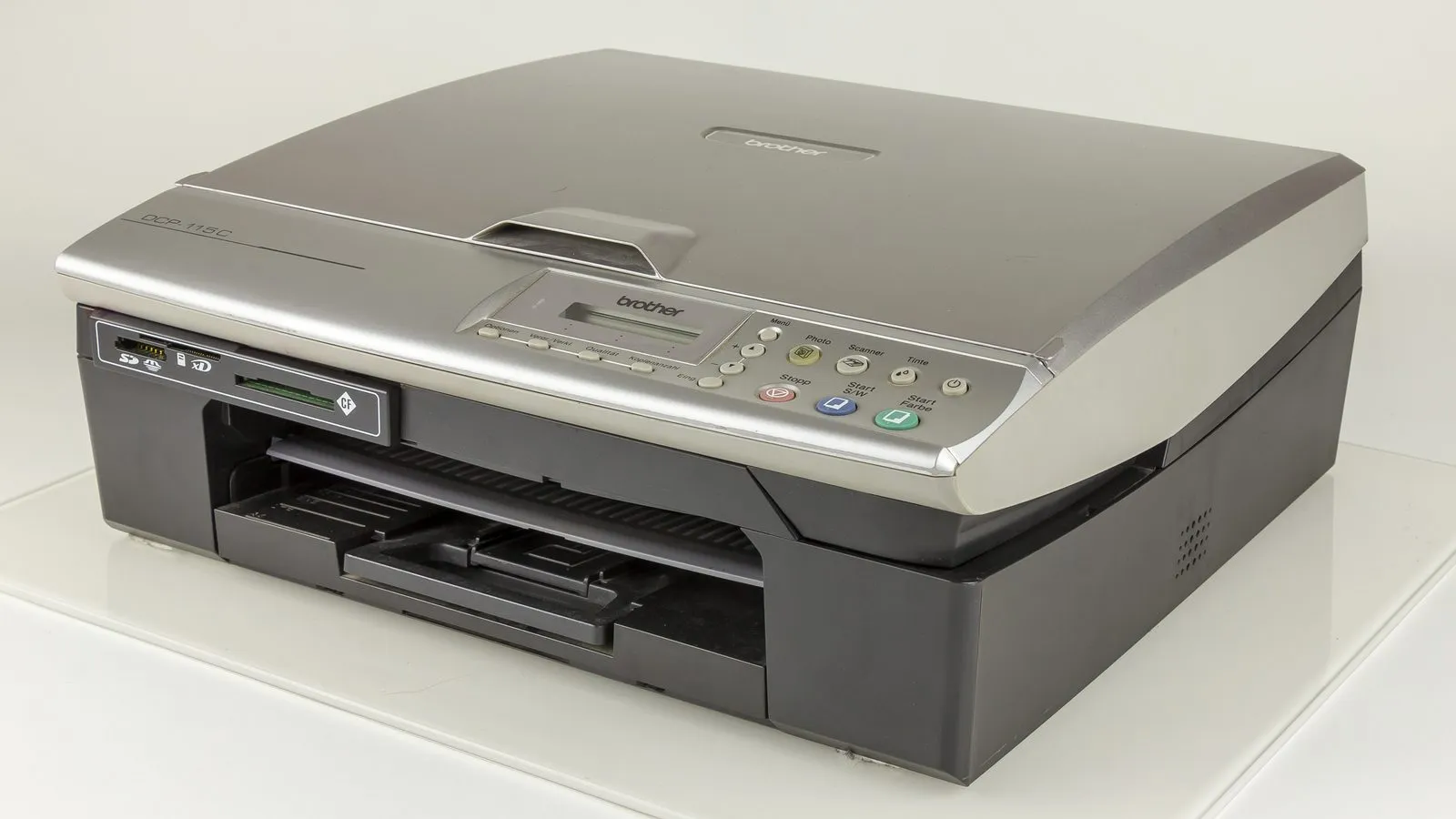
Supertank printers exist because cartridges got indefensible. You paid $80 for the printer and $60 every two hundred pages, and then the printer started asking you to subscribe to your own ink. Tank models flip that: the hardware costs more and the refills cost almost nothing. The question left is not whether the ink is cheaper. It is whether the whole thing is cheaper at your printing volume.
The maths only works with your numbers
A starter cartridge is good for something like two hundred pages. A set of ink bottles is rated in the thousands, and both Epson and Canon publish yields in that range. Per page, the gap is not subtle: dollars against pennies.
What the box never shows is the other half of the equation. You pay roughly $60 to $100 more up front to get that cost per page. Divide that difference by what you save on each sheet and you get the number of pages it takes before the tank starts winning. Print school work, forms, shipping labels and photos every week and you cross that line in months. Print ten pages a month and it takes years, and over that stretch the risk below matters more than the savings.
The risk that is not printed on the box
Search for complaints from supertank owners and the subject is always the same: a clogged printhead. Ink dries in the nozzles while the printer sits, the cleaning cycle burns ink trying to clear it, and it does not always work.
On printer forums the fix people repeat is to print one page a week whether you need it or not, just to keep ink moving. Owners who do it report years of trouble free use. Owners who do not tend to find the problem on the day they need a document in a hurry.
There is an architectural difference between the two brands that most comparisons skip. On the Epson the printhead is permanent, built into the printer, so a clog that cleaning cannot clear writes off the machine, and reviewers note the repair quote often lands near the price of a new unit. On the Canon the printhead is a replaceable part: it still clogs, but the fix is a cheap component rather than a new printer. For anyone who prints occasionally, that is inexpensive insurance, and it matters more than any speed difference between the two.
When a mono laser is the right answer
It is worth flipping the question. Open the folder of everything you printed last year, and if it is all black and white, contracts, receipts, packing slips, boarding passes, then a supertank is solving a problem you do not have.
Toner is powder. It does not dry, does not clog, and does not care that the printer spent two months switched off. The consensus recommendation on printer forums for light home use is exactly that: a mono laser if you print documents, a supertank only if you genuinely need color and will print at least every week or two. It is a good rule, and it runs against what the shelf at the store suggests.
Things people find out after the purchase
Three that catch buyers who did not read closely:
- The Wi-Fi is 2.4 GHz only. Home tank models cannot see a 5 GHz network. On a mesh router that publishes both bands under one SSID, setup simply fails, and the fix is to split the networks temporarily to pair the printer.
- Auto duplex is usually absent. On entry models you flip the paper by hand. It is a recurring one-star complaint from people who assumed every printer did two sided pages by now.
- Paper matters more than you would think. Manufacturers routinely attribute print quality complaints to paper outside the recommended spec, and thin or heavily recycled stock does shed particles into the paper path.
Prices swing a lot between sales and retailers. Check the current price before buying.
Quick comparison
| Model | Best for | Price range |
|---|---|---|
| Epson EcoTank ET-2800 | Prints weekly, needs color | $180 – $250 |
| Canon PIXMA G3270 | Prints rarely but needs color, wants a replaceable head | $220 – $290 |
| Brother HL-L2405W | Black text only, months between jobs | $120 – $170 |
In one sentence: a supertank is worth it if you print often and in color, and it is a poor buy if you print rarely, because the low cost per page never gets the chance to repay the hardware and the clog risk never stops running.
If the printer is the last piece of a desk you are still assembling, two other pieces here cover the rest. The one on 1080p versus 1440p at 27 inches settles the choice that most affects eye strain if you read text all day, and the USB-C hub guide matters here directly, because a current laptop often has no USB-A port left, and USB-A is exactly the cable in the printer box. If the same desk hosts calls, choosing a headset by its microphone rather than its sound is the other item that changes the working day more than its price suggests.
Our recommendations
Epson EcoTank ET-2800
The default supertank recommendation: cheap refills, no subscription, and the one most owners end up comparing everything else against.
Pros
- Epson rates a bottle set in the thousands of pages, against a few hundred for a starter cartridge
- No cartridge chip and no ink subscription prompt, which is the whole reason most buyers leave HP
- Owners who print weekly report years without a clog, and the ink cost effectively disappears from the budget
Cons
- The printhead is permanent, so a clog that cleaning cycles cannot clear takes the printer with it
- No auto duplex and no document feeder, a limitation buyers routinely miss and complain about in one-star reviews
- 2.4 GHz Wi-Fi only, and setup commonly fails on a mesh router that merges both bands under one network name
- A vocal minority report paper feed failures within months, with out of warranty repair quotes close to the price of a new unit
$180 – $250
Check price on AmazonCanon PIXMA G3270 MegaTank
Costs a little more, but the printhead is a replaceable part, which is the right insurance if the printer will sit idle for weeks.
Pros
- Replaceable printhead turns an irreversible clog into a cheap part swap instead of a dead printer
- Thermal inkjet output holds up well on photos, the job people actually buy color for
- Front facing tanks make the ink level readable without moving the printer
Cons
- Thermal heads are the ones most affected by long idle periods, so the maintenance habit still applies
- Mobile printing leans on Canon's own app, which draws more complaints than the hardware does
- Slower than the Epson on plain text, noticeable if you print long documents
$220 – $290
Check price on AmazonBrother HL-L2405W
If everything you print is black text and the printer sits unused for weeks, a mono laser solves the problem a supertank cannot.
Pros
- Toner is powder: it does not dry out, so two months of no printing costs you nothing
- Cheaper and faster per black page than any inkjet, and the text is sharper
- Cheapest entry price of the three, which changes the payback maths entirely
Cons
- Black and white only, which rules out photos, school work and anything in color
- Print only, with no scanner or copier, so an all-in-one laser costs meaningfully more
- The drum is a separate consumable from the toner and eventually needs replacing, which buyers rarely budget for
- Ships with a Refresh subscription trial, and the sign-up prompts annoy owners who never wanted one
$120 – $170
Check price on AmazonPrices are reference ranges and change often, so check the current price on Amazon before buying.
Frequently asked questions
Do ink tank printers clog if you do not use them?
It is the single most reported failure among people who bought a supertank and print rarely. Ink dries in the printhead nozzles and the automatic cleaning cycle does not always recover it. The habit long term owners recommend is simple: print one page, ideally in color, once a week. If you know you will not do that, a supertank is probably the wrong product for you.
Ink tank or laser: which costs less per page?
For plain black text, laser. For anything in color, the tank, by a wide margin. The real answer depends on your volume. A bottle set rated in the thousands of pages puts the cost per page down in pennies, but it only repays the higher purchase price if you actually print. At ten pages a month you are looking at years.
Can I use third party ink in the tanks?
You can, and plenty of people do, with two practical consequences. Printhead problems traced to non-original ink tend to be denied under warranty, and cheap ink clogs more, which is exactly the failure that kills these printers. If you plan to refill with third party ink, it is a safer bet on the Canon, where the printhead is replaceable, than on the Epson, where it is not.