Fifine K669B vs HyperX SoloCast 2: Which USB Mic?
Published on November 18, 2026
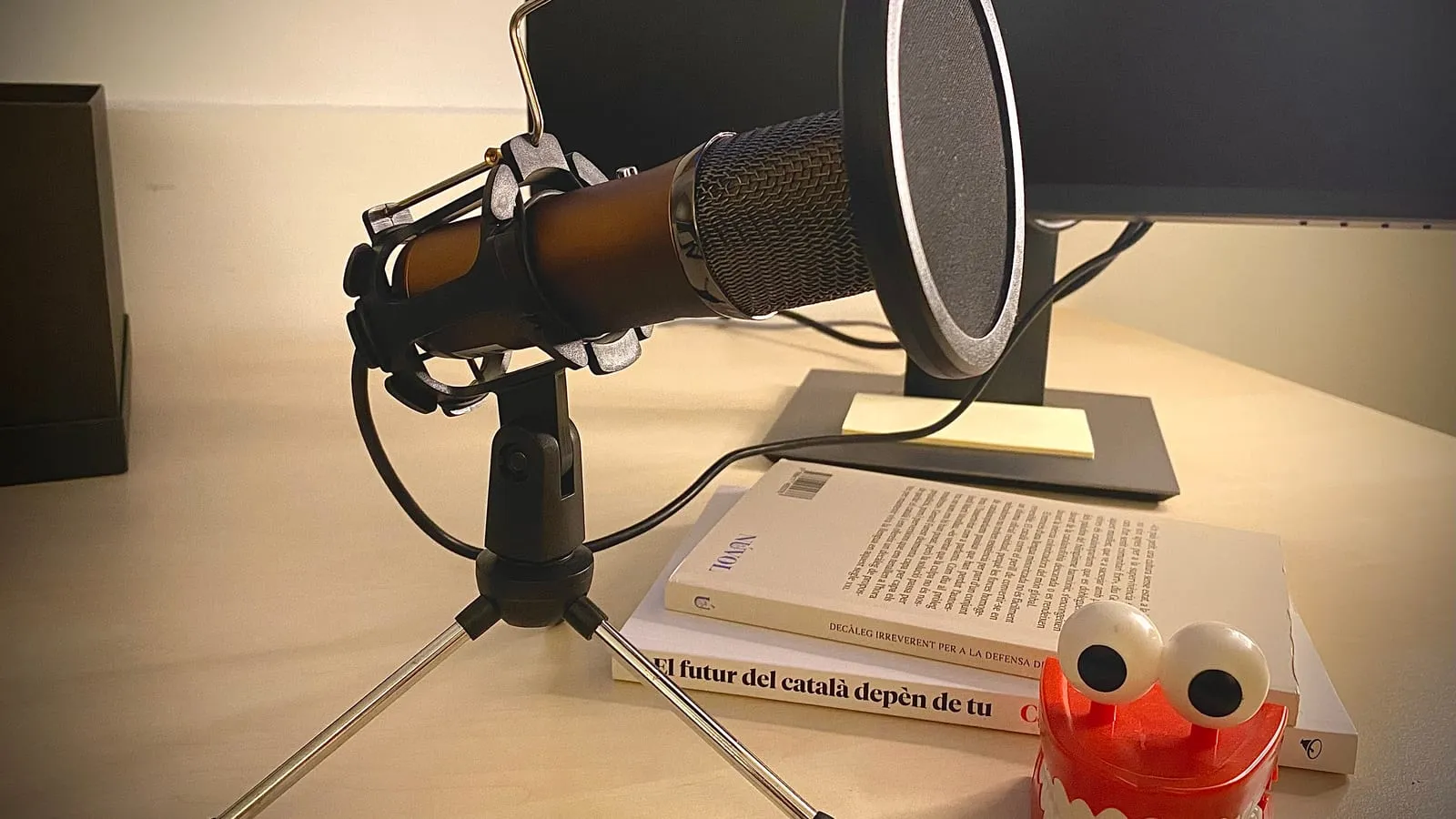
Shopping for a first USB mic usually comes down to these two. The Fifine K669B is the cheap one everybody buys, and the HyperX SoloCast 2 is the second generation of a mic that was already popular with gamers and streamers.
Before comparing them, notice what they share: both are condenser mics. That decides more than any spec sheet difference.
Your room chooses first
Condenser mics are sensitive. They capture your voice well, and they capture everything around it too: the fan, a mechanical keyboard, traffic outside, the echo of a sparsely furnished room. Fifine’s own K669B page recommends speaking from 6 to 12 inches away and using the mic in a quiet room, and buyer comments on the brand’s site repeat that noise isolation is where it falls short.
That is why the third pick here is a different type. The Fifine AmpliGame AM8 is a dynamic mic: it mainly picks up what is directly in front of it and close. In Gough’s Tech Zone’s review, recorded in a noisy room, background noise was only slightly noticeable on the AM8, while a regular recorder in the same spot picked up enough to be distracting. The tradeoff is distance: the reviewer ran gain at maximum and warns that levels may be low for quiet speakers.
Rule of thumb: quiet room, condenser; noisy home, dynamic.
K669B: the basics, done right
The K669B has a metal body, a tripod and a volume knob on the front that adjusts sensitivity. Plug it in, the computer sees it, done. No software, which matters if all you want is to stop using your laptop’s built-in mic in meetings.
What it lacks: a headphone jack and any isolation. Desk bumps and typing travel up the tripod. A boom arm fixes both, but at that point the total gets close to the SoloCast 2.
SoloCast 2: what HyperX fixed
The original SoloCast had no shock mount and no pop filter. The second generation builds both in: foam tames plosives, and the internal mount cuts desk vibration. Tapping the top mutes it with an LED, the cable is now USB-C and recording goes up to 24-bit/96kHz.
The weak spots show up in reviews. Germany’s basic-tutorials needed gain above 70% at roughly 8 inches, and found the software’s AI noise reduction weak: it does not remove room echo, and at high gain the background creeps back. There is no gain knob on the mic; adjustment lives in NGENUITY, which runs only on Windows. On a New Zealand retailer’s page, two buyers say the software only detected the mic in its beta version. And the stand sits low, so long sessions push you toward a boom arm.
Between the two condensers
At US prices the gap is roughly $20 to $25, and for anyone gaming or on calls all day, the SoloCast 2 earns it: tap-to-mute with a light, plus a built-in pop filter and shock mount you would otherwise buy separately. The K669B remains the pick for better-than-laptop voice for the least money in a calm room.
If your room is not calm, neither one fixes it, and the AM8 costs about the same as the SoloCast 2.
Prices change often between sales and sellers. Check the current price before you buy.
Which one to get
| Situation | Mic | Price range |
|---|---|---|
| Meetings and calls, quiet room, lowest cost | Fifine K669B | $25 – $35 |
| Gaming and streaming, quick mute, built-in pop filter | HyperX SoloCast 2 | $45 – $60 |
| Fans, loud keyboard, street noise | Fifine AmpliGame AM8 | $45 – $65 |
If meetings are the main use, the answer may not be a desk mic at all: the headset for video calls guide covers when a boom-mic headset works better, since it stays the same distance from your mouth. And if you game and are torn between a separate mic and a good headset, see whether the HyperX Cloud III is worth it, from the same brand as the SoloCast.
Our recommendations
Fifine K669B
The budget USB mic almost everyone starts with: metal body, a volume knob on the mic itself and no software to install.
Pros
- Physical volume knob on the front that adjusts sensitivity without opening an app
- Plug and play on PC, Mac and PS4/PS5
- Often sold in bundles with a pop filter or headphones for a few dollars more
Cons
- No headphone jack, so you cannot hear yourself in real time
- A sensitive condenser: Fifine itself recommends speaking from 6 to 12 inches away in a quiet room
- Does not work with Xbox or phones, according to the manufacturer
$25 – $35
Check price on AmazonHyperX SoloCast 2
The second generation fixed the biggest knocks on the original SoloCast: it now has a built-in shock mount and pop filter.
Pros
- Internal shock mount and foam pop filter for desk bumps and harsh P and B sounds
- Tap-to-mute with an LED indicator, handy in calls and games
- Records at 24-bit/96kHz over USB-C
Cons
- No gain knob: fine adjustment lives in HyperX's NGENUITY software, which is Windows only
- German site basic-tutorials needed gain above 70% at about 8 inches and found the AI noise reduction weak
- No headphone jack; that is reserved for the pricier SoloCast 2 Pro, reported at around $90
$45 – $60
Check price on AmazonFifine AmpliGame AM8
Dynamic instead of condenser: it picks up far less fan, keyboard and street noise, as long as you speak close to it.
Pros
- Dynamic capsule that rejects much more sound from the sides and rear
- Zero-latency headphone jack, gain knob and touch mute
- Both USB and XLR, so it keeps working if you add an audio interface later
Cons
- Needs to be close to your mouth: Gough's Tech Zone ran gain at maximum and found levels low for quiet speakers
- Over XLR the buttons and lighting are inactive, and the XLR cable is not included
- Short desk stand with no height adjustment
$45 – $65
Check price on AmazonPrices are reference ranges and change often, so check the current price on Amazon before buying.
Frequently asked questions
Condenser or dynamic mic for home use?
It depends on the room, not the budget. A condenser captures more detail and more of the room: fans, keyboards, echo from bare walls, traffic. In a quiet room it sounds better. In a noisy home, a dynamic mic like the AM8, used a few inches from your mouth, keeps the background much lower.
Do I need a headphone jack on the microphone?
For calls and gaming, no. For podcasts or voiceover, it helps a lot: hearing yourself in real time tells you instantly when you drift off-mic or clip. Of these three, only the AM8 has one. HyperX offers it only on the SoloCast 2 Pro.
Does the HyperX SoloCast 2 work on a Mac?
Yes, it is plug and play over USB. What you lose is the NGENUITY software, which is Windows only, so on a Mac you set levels in the system sound settings and give up the software filters and noise reduction.
Read next
Peripherals
Does a vertical mouse fix wrist pain?
Peripherals
Is an ink tank printer worth it at home?

Peripherals