PS5 external SSD: can you play games straight off it?
Published on August 31, 2026
The confusion clears up the moment you separate two things Sony puts on the same settings screen. The PS5 has two kinds of extra storage, and they do different jobs.
A drive on the USB port stores PS5 games and runs PS4 games. An M.2 SSD in the internal expansion slot runs everything, PS5 games included, exactly like the factory drive. So if the plan is to launch a new release straight off a USB drive, the answer is no, and no more expensive external model changes that.
Why PS5 games will not run from outside
The limit is the path, not the drive. The PS5 is built around a storage subsystem that delivers several gigabytes per second with hardware decompression, and plenty of games assume that speed to stream scenery in while you walk. The console’s USB port runs at 5 Gb/s, around 450 MB/s in the real world. That is not a percentage gap, it is an order of magnitude.
Treat any listing that says “PS5 ready” without mentioning USB extended storage with suspicion. It is technically true, in that the drive works, but most people read it as being able to play new releases off it, and they cannot. RGB gaming enclosures make no difference here either: the controller inside the case does the work, not the lighting.
Where an external SSD genuinely earns its place
It solves two real problems.
The first is the download queue. If your connection is slow or capped, this is immediate: with an external drive you uninstall a large game without losing the download, and get it back in minutes. It is the benefit owners mention most.
The second is a PS4 library. Those games run straight off the external drive with no copying, and going from a mechanical drive to an SSD is a noticeable load time improvement. Just know the gain plateaus early. A drive advertised at 1050 MB/s or 2000 MB/s delivers none of that on the console because the port caps it first. That USB naming mess trips up a lot of purchases, and it is the same trap when picking a USB-C hub for a laptop: the big number on the box and the real throughput are two different things.
One tip that comes up repeatedly from people who set these up often: choose a bus-powered drive. Models that need their own AC adapter are the most common source of “my PS5 will not recognise the SSD”, because the current draw sits outside what the console expects.
When the M.2 slot is the right answer
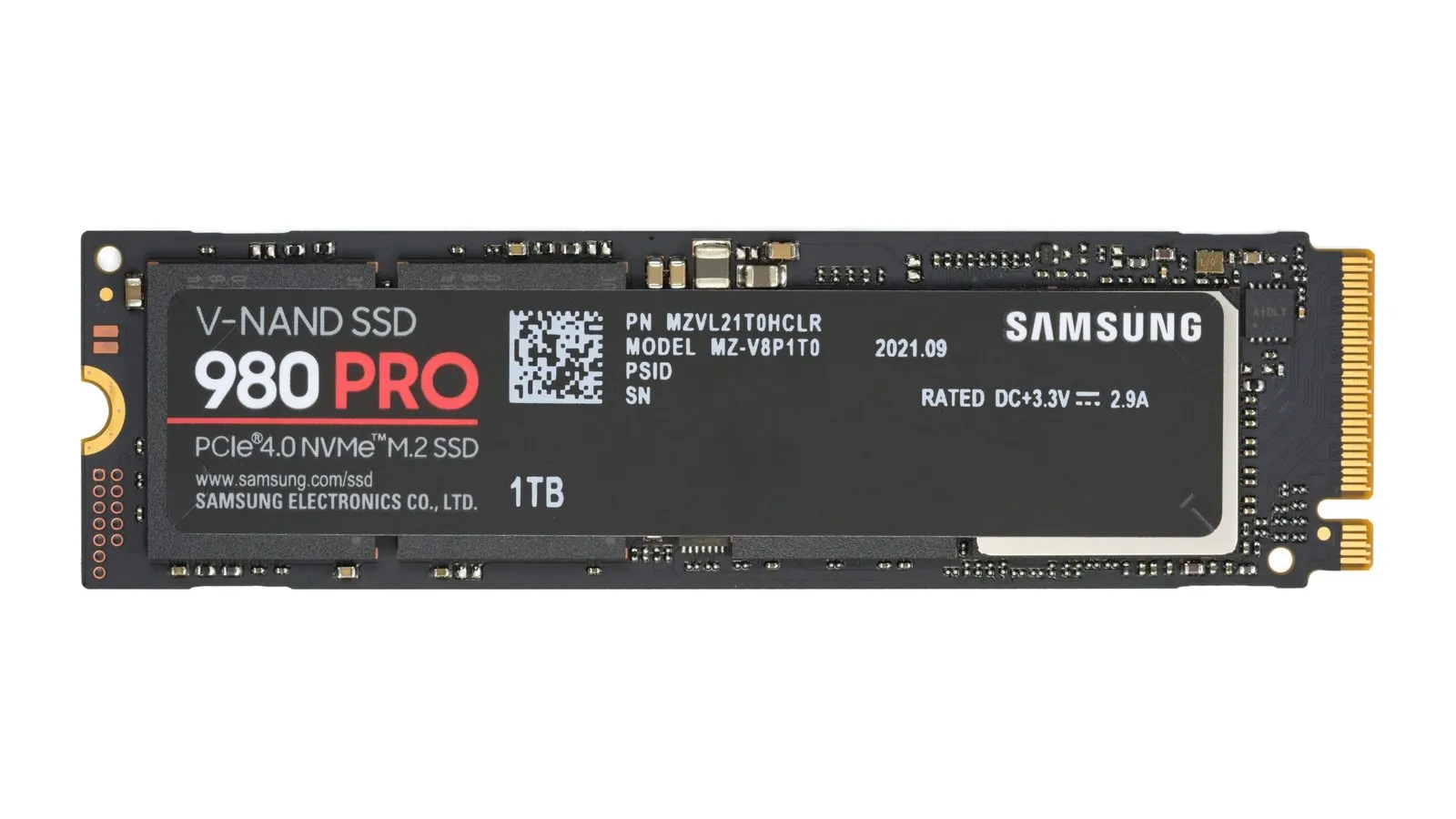
If the actual complaint is that your PS5 games do not fit, an external drive only postpones it. Sony asks for an M.2 NVMe PCIe Gen4 drive reading at 5500 MB/s or better, and it asks for a heatsink.
The heatsink is the part that generates the most regret. It is not decoration: the PS5 expansion bay has no airflow of its own and relies on that metal surface to spread heat. Installs without one show up in owner reports as throttling within minutes of demanding gameplay, and the console will warn about temperature. That is why a cheap drive plus a separate heatsink rarely ends up as cheap as it looks when you add it up.
Quick comparison
| Route | Runs PS5 games | Runs PS4 games | Console has to be opened |
|---|---|---|---|
| External USB SSD | No, storage only | Yes | No |
| M.2 SSD in the internal slot | Yes | Yes | Yes |
For most people the external drive is the right first purchase: it costs less, takes minutes, and fixes the space problem that actually nags day to day. The M.2 slot is the upgrade for someone already past that stage who plays a lot of new releases, and there the heatsink matters more than the brand.
If your setup straddles console and PC, the bottleneck moves somewhere else entirely: what usually breaks there is controller connectivity, which is the subject of the PS5 controller on PC guide. And if a headset is next on the list, the test that matters becomes the microphone and long session comfort, as in the HyperX Cloud III review.
Our recommendations
SanDisk Extreme Portable SSD 1TB
The cheap way to take weight off the console: it stores PS5 games and runs PS4 games directly, with nothing to open up.
Pros
- Plugs into a USB port and works in minutes, no disassembly
- Bus powered, which is what avoids most cases of the PS5 refusing to see the drive
- Doubles as a laptop drive once you are done with it on the console
Cons
- PS5 games will not run from here, only sit in storage
- Buyers report the rubber shell picks up grime and yellows over time
- You are paying for 1050 MB/s the PS5 cannot use
$90 – $130
Check price on AmazonWD_BLACK SN850P 1TB
Officially licensed for the PS5, heatsink already sized for the compartment lid, so nothing is left to guess.
Pros
- Heatsink height is designed for the PS5 bay, which removes the most common fitment problem
- Comfortably past Sony's speed floor
- Once installed the console treats it exactly like the factory drive
Cons
- You pay a licensing premium over an identical unlicensed Gen4 drive
- Still needs the side panel off and a small Phillips screwdriver
- 1TB fills faster than people expect once a couple of large titles land on it
$110 – $160
Check price on AmazonCrucial P5 Plus 1TB
The cheapest way into the M.2 slot, with one condition: the heatsink is a separate purchase and it is not optional.
Pros
- Usually the lowest price per terabyte among Gen4 drives that clear Sony's requirement
- 6600 MB/s read leaves plenty of margin over the 5500 MB/s floor
- 2280 form factor, exactly what the PS5 bay expects
Cons
- No heatsink in the box, and without one the console throttles within minutes of demanding gameplay
- Reviewers measure higher temperatures than newer Gen4 drives under long transfers
- Once you add a separate heatsink, the saving against a ready-to-fit drive shrinks a lot
$70 – $100
Check price on AmazonPrices are reference ranges and change often, so check the current price on Amazon before buying.
Frequently asked questions
Do I have to format the SSD before the PS5 will use it?
Yes. The console formats the drive as USB extended storage and that wipes everything on it. If your files are already on the drive, copy them off first: there is no way to keep both uses on one partition.
Does a faster external SSD improve load times?
Only up to a point. The PS5's USB port runs at 5 Gb/s, roughly 450 MB/s in practice. Moving from a mechanical drive to any SSD is a clear win on PS4 titles, but swapping a 500 MB/s SSD for a 2000 MB/s one changes nothing: the port is the bottleneck, not the drive.
Can I move a PS5 game off the external drive and play it again?
Yes, and that is exactly what external storage is for in this case. You copy the game back to internal storage from the storage menu and play normally. The copy takes a few minutes, far less than downloading the whole game again.